9. Service and maintenance
52
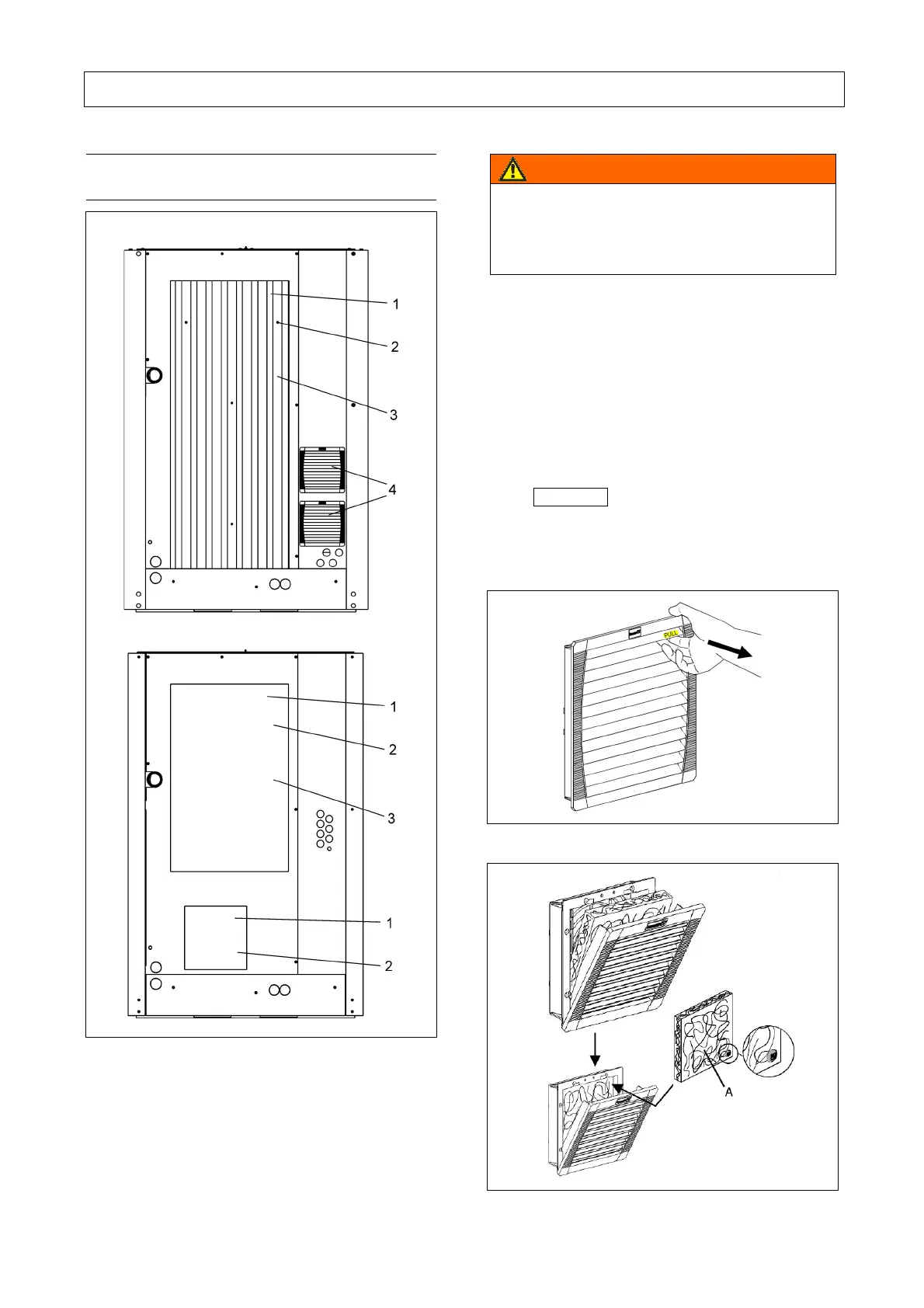
9.12 Clean / change filter with cooling air
inlet and control cabinet inlet
A
B
Fig. 26
A L132 - L140
B L140
1 Filter mat cooling air inlet
2 Mounting bolts
3 Sound-proofing element
4 Inlet filter (only L90RS - L132RS)
Warning
Only perform checks and carry out work on
the screw compressor when the unit is out
of operation, depressurized, and secured
from being switched on again!
Perform filter mat change as follows:
a) Filter mat, cooling-air inlet
• Remove fixing screws (-2- Fig. 26).
• Remove filter mat (-1- Fig. 26) and clean,
exchange if damaged. Clean the filter mat by
brushing or washing.
• Re-insert filter mat in sound insulating panel
(-3- Fig. 26).
Important
Never install the filter mat in a wet or moist
state!
• Secure filter mat by means of fixing screws.
Fig. 27
Fig. 28



 To Next Page