Setting Up the Notebook
Getting Started 1–3
Connecting the Notebook to External Power
Ä
CAUTION: To prevent file corruption and to be sure that the correct
drivers load, do not turn on the notebook for the first time while it is
docked in an optional port replicator.
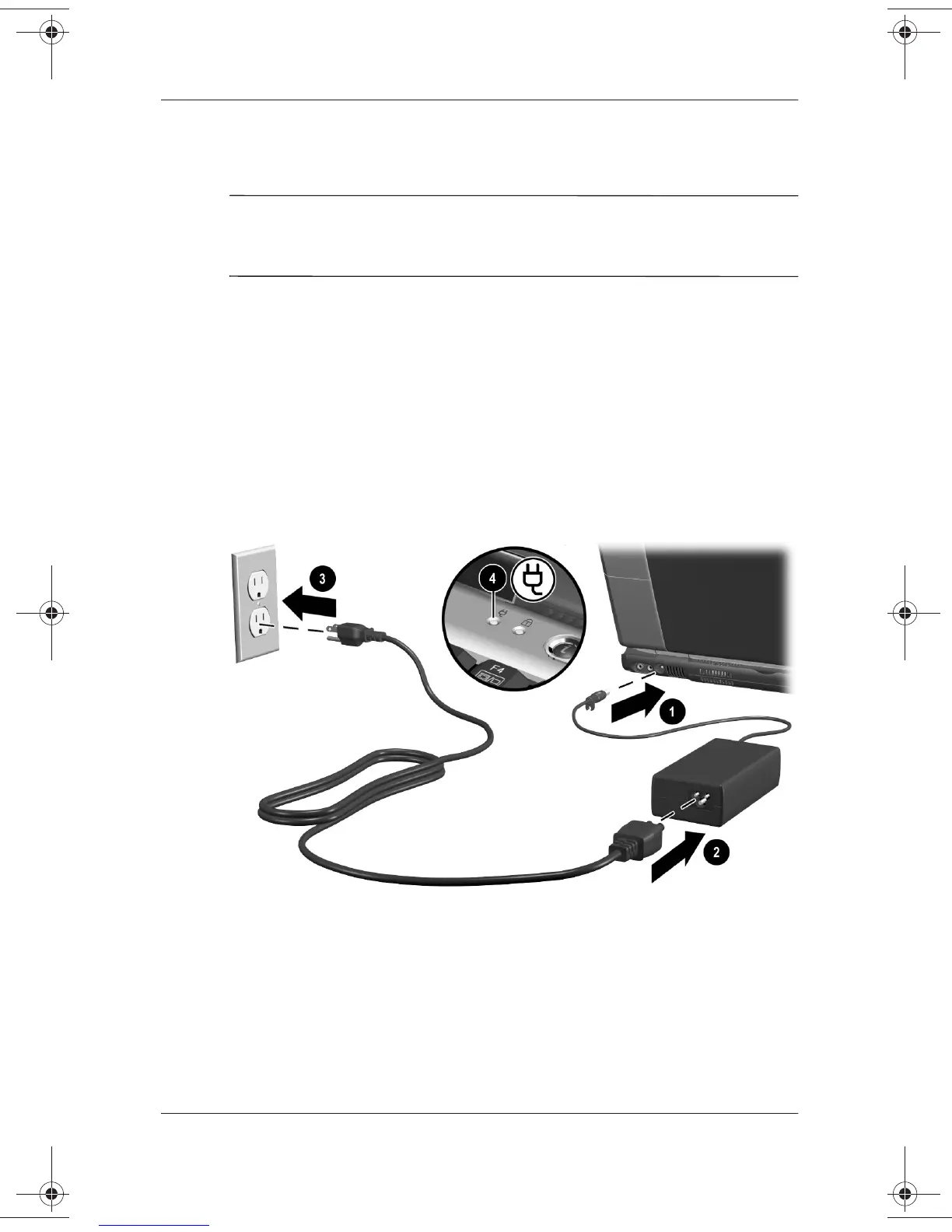
To connect the notebook to external power:
1. Place the notebook on a flat surface near an electrical outlet.
2. Plug the AC Adapter cable into the DC power connector
1
.
3. Plug the power cord into the AC Adapter
2
and into an
electrical outlet
3
.
When the notebook receives AC power, the AC Adapter light
4
turns on.
Connecting the notebook to external power (AC Adapters,
power cords, and electrical outlets vary by region.)
271247-001.book Page 3 Wednesday, April 17, 2002 2:55 PM




 To Next Page