4–12 Getting Started
Identifying External Hardware
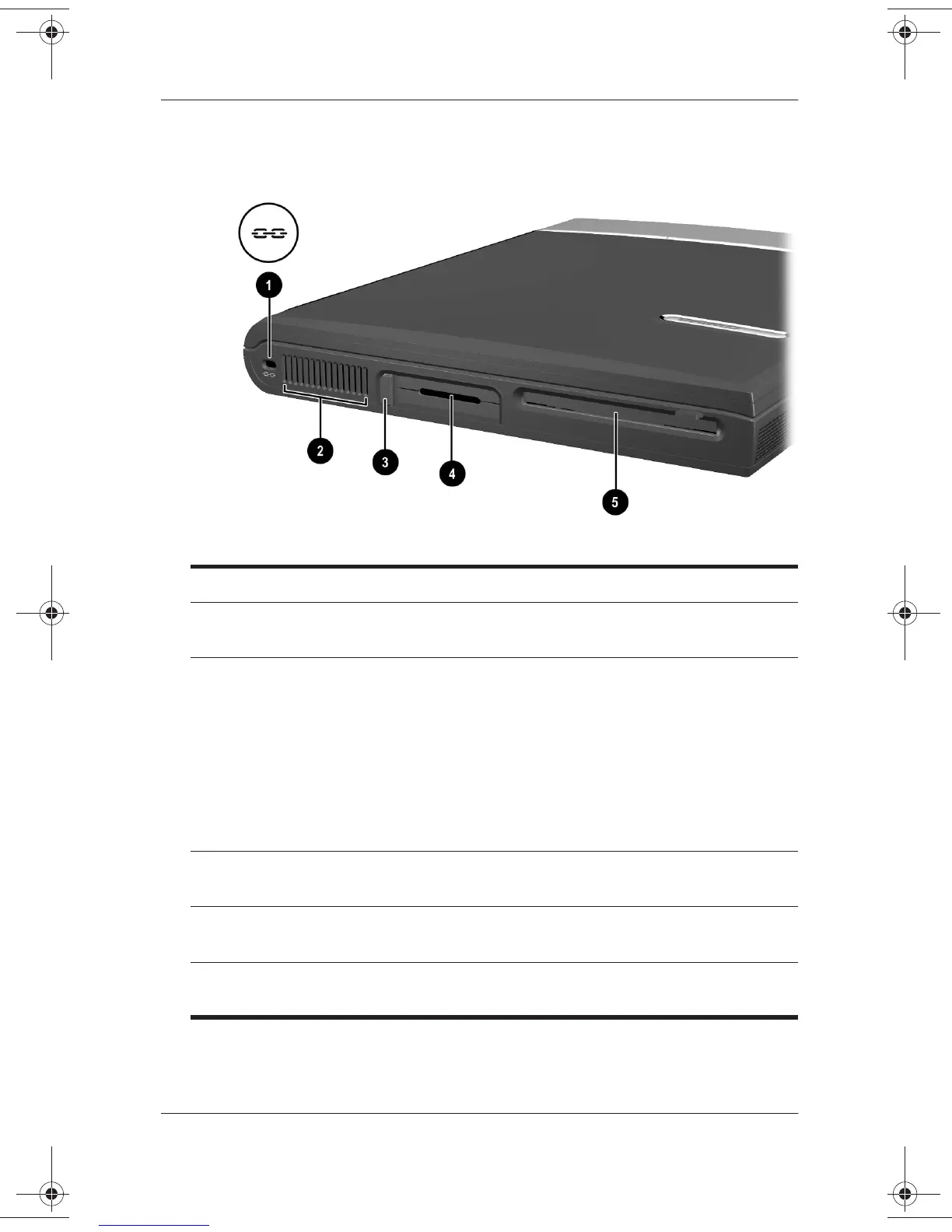
Left Side Components
Left Side Components
1
Security cable slot Attaches an optional security cable to
the notebook.
2
Vent Allows airflow to cool internal
components.
Ä
To prevent overheating, do not
obstruct the vent. Do not allow
a hard surface, such as an
adjoining optional printer, or a
fabric, such as bedding or
clothing, to block airflow.
3
PC Card eject button Ejects an optional PC Card from the
PC Card slot.
4
PC Card slot Supports an optional Type I or Type II
32-bit (CardBus) or 16-bit PC Card.
5
Diskette drive Provides a slot for a standard
3.5-in. diskette.
271247-001.book Page 12 Wednesday, April 17, 2002 2:55 PM




 To Next Page