Identifying External Hardware
Getting Started 4–5
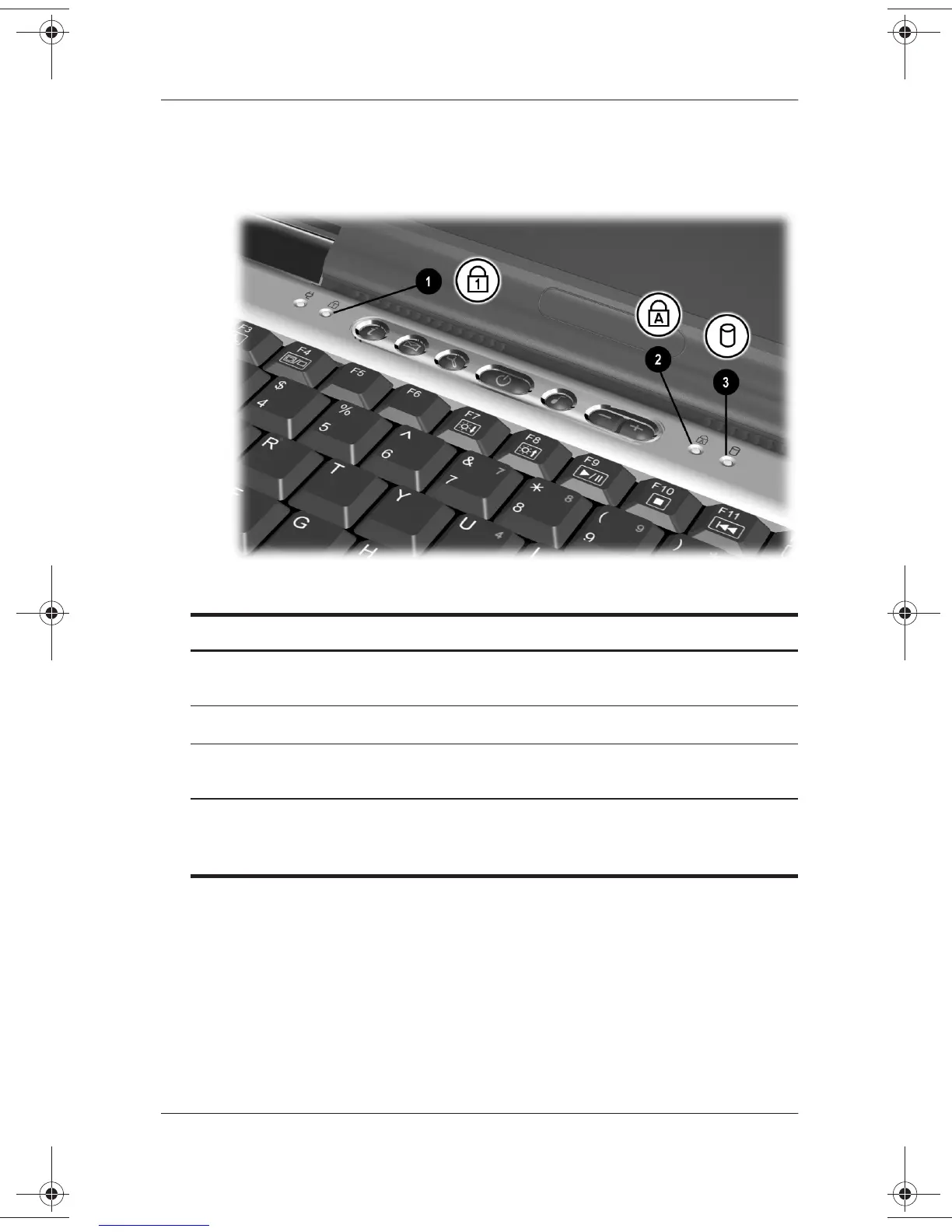
Keyboard and Drive Lights
Top Components: Keyboard and Drive Lights
1
Num lock light On: Num lock is on or the internal
keypad is on.*
2
Caps lock light On: Caps lock is on.
3
IDE (Integrated Drive
Electronics) drive light
On: The hard drive, CD, or DVD drive
is being accessed.
*For information about using num lock, the internal keypad, or an external
keypad, see the
Hardware Guide,
Chapter 2, “Pointing Devices and
Keyboard,” in the section “Keypads” on the
Documentation Library
CD.
271247-001.book Page 5 Wednesday, April 17, 2002 2:55 PM




 To Next Page