4–16 Getting Started
Identifying External Hardware
Labels
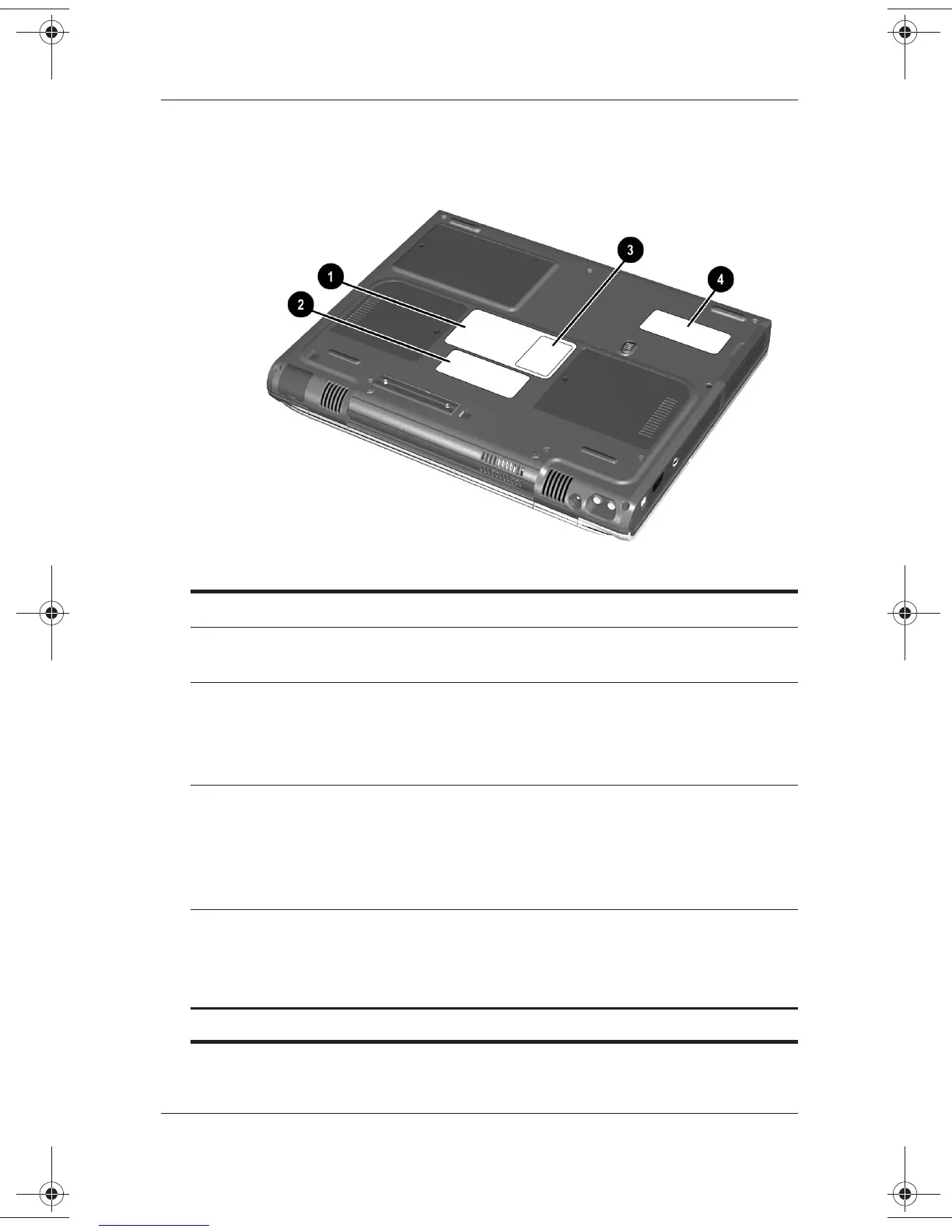
Underside Components: Labels
1
System label Provides regulatory information about
the notebook.
2
Microsoft Certificate of
Authenticity label
Contains your Product Key number.
You may need this information to
update or troubleshoot the operating
system.
3
Optional MultiPort agency
approvals label (models that
ship with a wireless device
only)
Lists the countries in which this
optional wireless device has been
approved for use.
You may need this information to use
the wireless device while traveling.
4
Serial number Identifies the notebook. You will need
this number if you call Compaq
customer support or download
software from the Compaq Web site.
✎
The appearance and position of labels vary by model.
271247-001.book Page 16 Wednesday, April 17, 2002 2:55 PM




 To Next Page