4–8 Getting Started
Identifying External Hardware
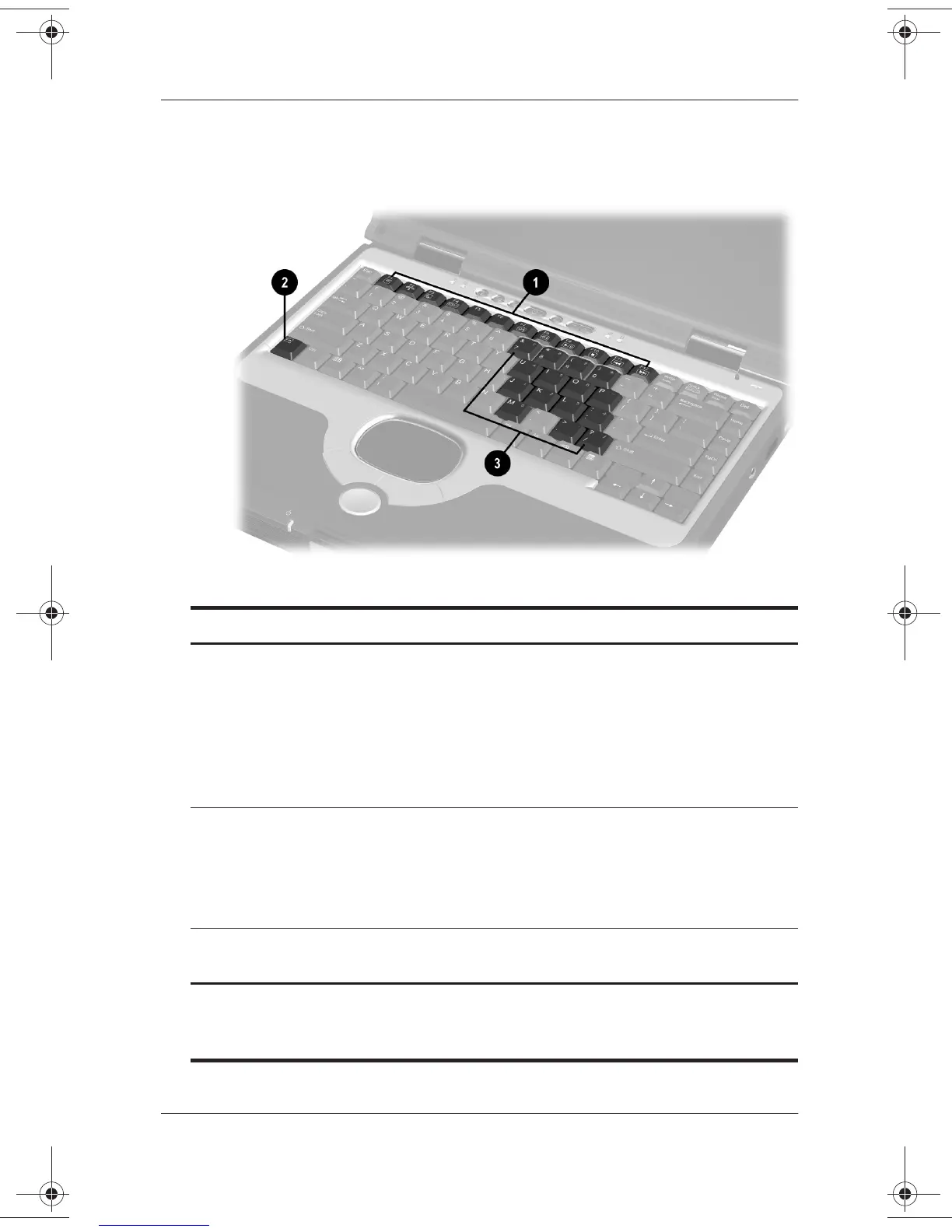
Function and Keypad Keys
Top Components: Function and Keypad Keys
1
Function keys (12) Perform system and application
tasks. For example, in Windows and
many applications, pressing
F1
opens
a Help file. When combined with the
Fn
key, the function keys
F2
through
F4
and
F7
through
F12
perform
additional tasks as hotkeys.*
2
Fn
key Combines with other keys to perform
system tasks. For example, pressing
the
Fn+F7
hotkeys
decreases screen
brightness and pressing the
Fn+F8
hotkeys increases screen brightness.
3
Keypad keys (15)* Can be used like the keys on an
external numeric keypad.
*For more information about using hotkeys or keypad keys, see the
Hardware Guide
, Chapter 2, “Pointing Devices and Keyboard,” on the
Documentation Library
CD.”
271247-001.book Page 8 Wednesday, April 17, 2002 2:55 PM




 To Next Page