Identifying External Hardware
Getting Started 4–11
Vents and Jacks
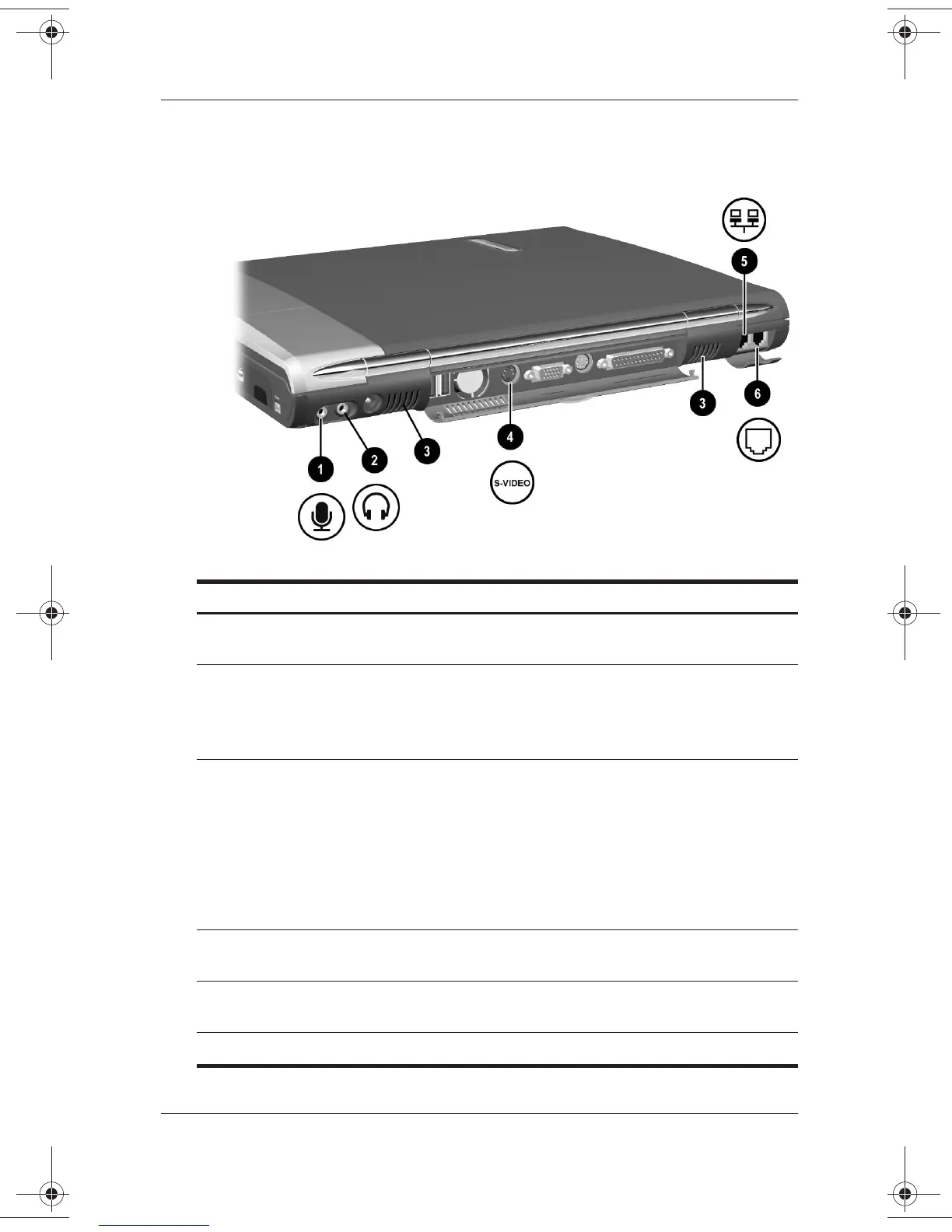
Rear Panel Components: Vents and Jacks
1
Microphone jack Connects an optional single-sound channel
microphone.
2
Audio-out jack Connects optional headphones, a headset,
or powered stereo speakers. Also connects
the audio function of an audio/video device
such as a television or VCR.
3
Vents for fan (2) Internal fan and vents allows airflow to cool
internal components.
Ä
To prevent overheating, do not
obstruct the vent. Do not allow a
hard surface, such as an adjoining
optional printer, or a fabric, such as
bedding or clothing, to block airflow.
4
S-video-out jack Connects an optional S-video device such
as a television, VCR, or camcorder.
5
RJ-45 network jack Connects a network cable. A network cable
is included with select models.
6
RJ-11telephone jack Connects the modem cable.
271247-001.book Page 11 Wednesday, April 17, 2002 2:55 PM




 To Next Page