Identifying External Hardware
Getting Started 4–3
Dual Device Models
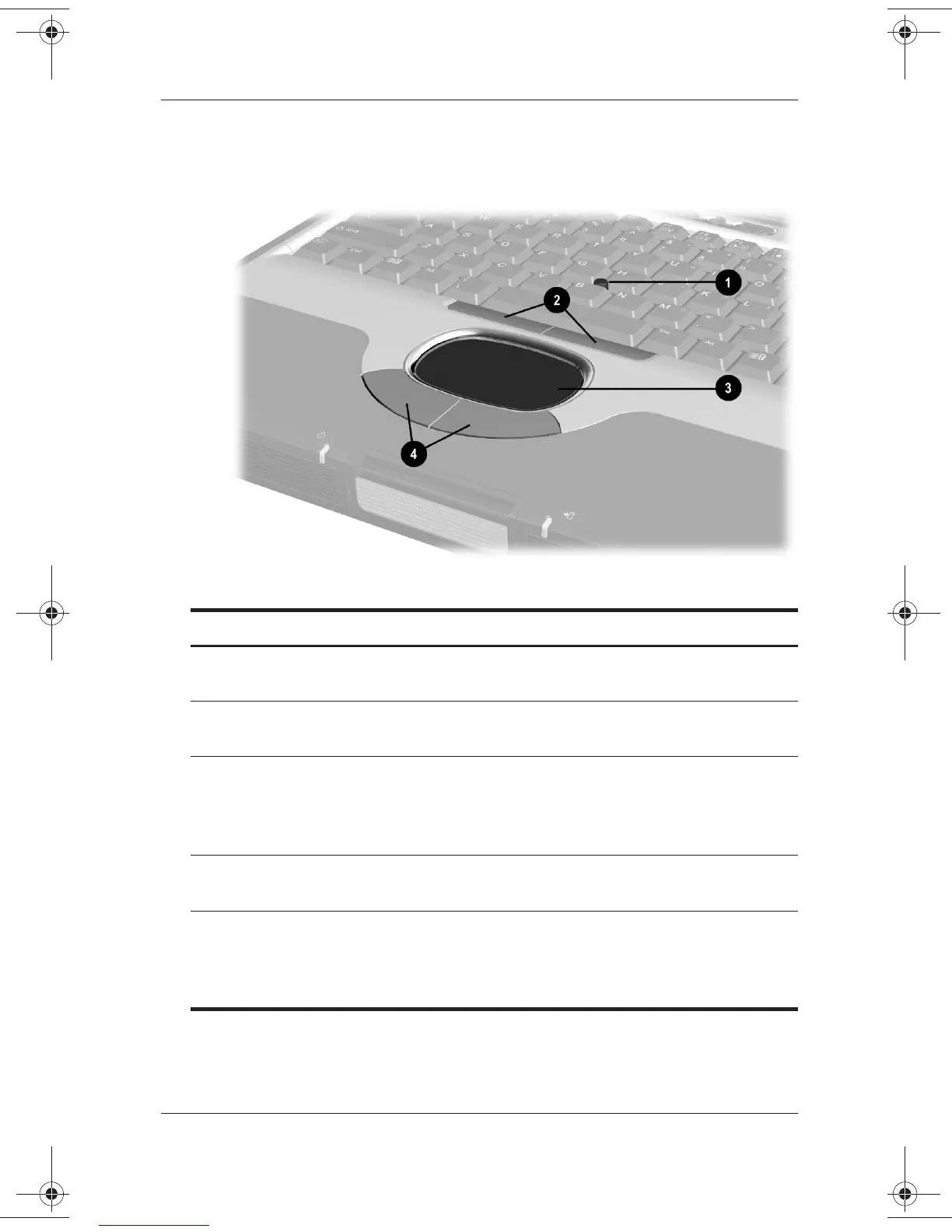
Pointing Device Components: Dual Device Models
1
Pointing stick Moves the cursor and selects and
activates items on the screen.
2
Left and right pointing-stick
buttons
Function like the left and right buttons
on an external mouse.
3
TouchPad Moves the pointer. Can be set to
perform additional mouse functions
such as scroll, select, and
double-click.*
4
Left and right TouchPad
buttons
Function like the left and right buttons
on an external mouse.
*For information about modifying pointing device functions, see the
Hardware Guide,
Chapter 2, “Pointing Devices and Keyboard,” in the
section “Setting Pointing Device Preferences” on the
Documentation
Library
CD.
271247-001.book Page 3 Wednesday, April 17, 2002 2:55 PM




 To Next Page