4–6 Getting Started
Identifying External Hardware
Power and Volume Controls
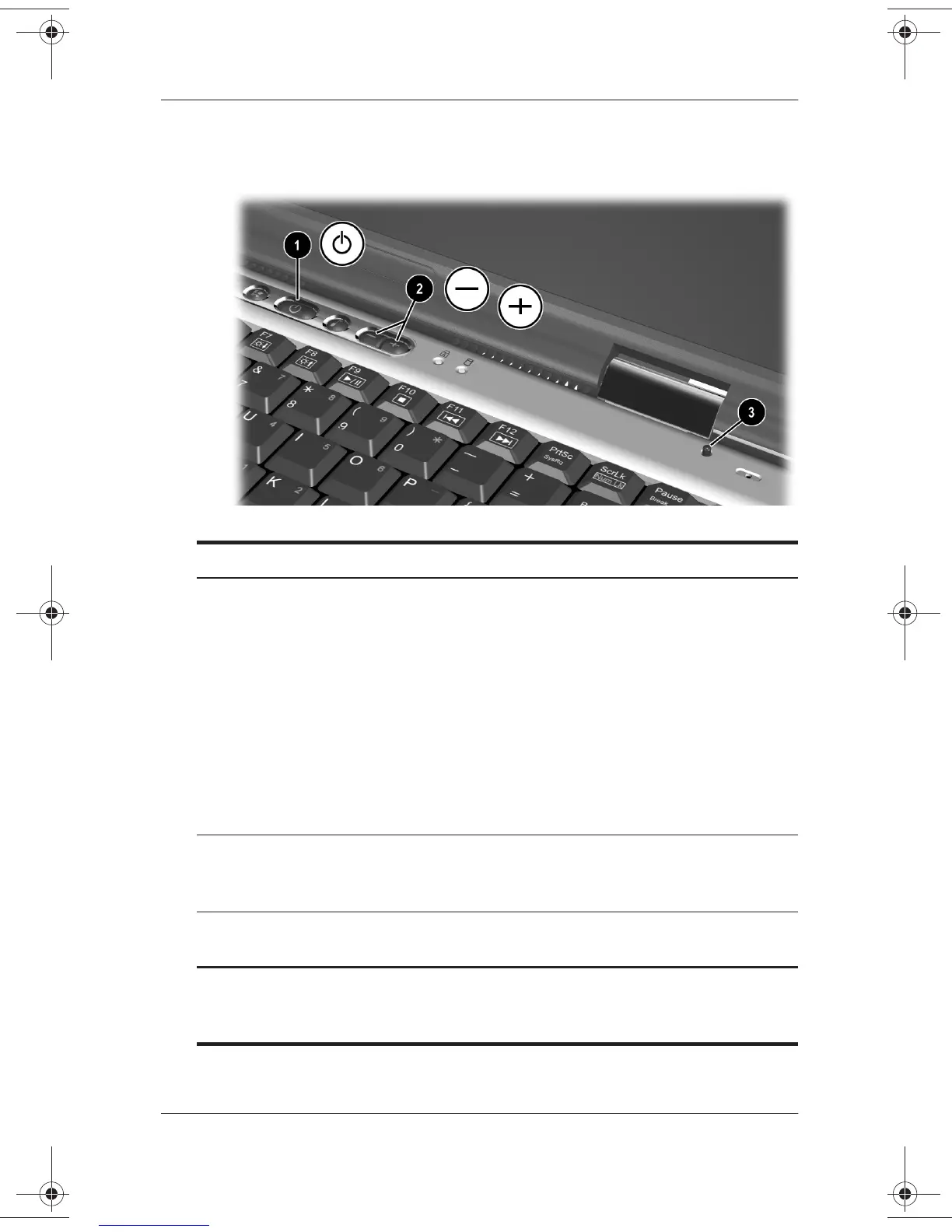
Top Components: Power and Volume Controls
1
Power button* When the notebook is:
■
Off, briefly press to turn on the notebook.
■
On, briefly press to initiate Hibernation.
■
In Standby, briefly press to exit Standby.
■
In Hibernation, briefly press to exit
Hibernation.
If the system has stopped responding and
Windows shutdown procedures cannot be used,
press and hold for 4 seconds to turn off the
notebook.
2
Volume
buttons (2)
Adjust, mute, or restore system volume. To mute
or restore volume, press both volume buttons at
the same time.
3
Display switch* Turns off the notebook display if the notebook is
closed while it is on.
*This table describes default settings. For information about changing the
function of the power button, display switch, or
Fn+F3
hotkeys, see the
Software Guide,
“Power” chapter on the
Documentation Library
CD.
271247-001.book Page 6 Wednesday, April 17, 2002 2:55 PM




 To Next Page