Entering a competition task
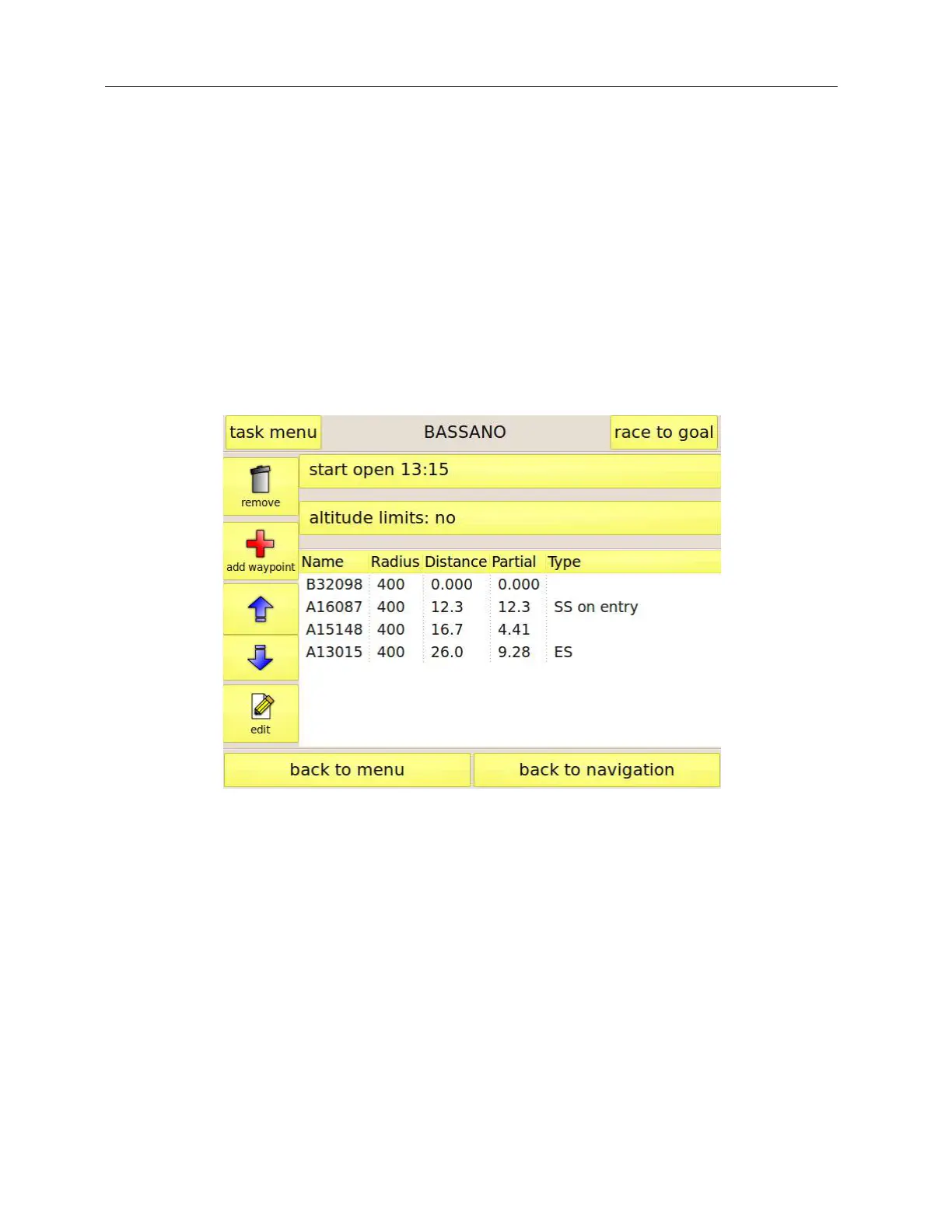
Entering a task just before taking off for your competition is a delicate phase. We believe that we
have simplified this procedure as much as possible by developing a graphical user interface (Figure
15) that resembles the standard panel used at every competition during the briefing.
Let us have a look at the procedure that you have to follow to create a new task. The first thing is to
give a name to the task.
Figure 15: task editing page
Press the “task menu” button in the top left corner, followed by “new task”. Enter the task name
using the virtual keyboard that appears, then press “ok”. The name will be shown at the top of the
page.
Enter the task times by pressing the times button. A specific page (Figure 16) will allow entering the
data. You can enable or disable the task open and task close times by means of the checkbox.
Press “ok” to confirm the data when you are ready.



 To Next Page