2. Auto Mode NavigationRoute optimisation
This is a very clever way to navigate with XC-Assistant and we recommend it. In this case the pilot
has a good idea, before the take off, about the flight he is going to do.
To start the navigation, just be sure the AUTO checkbox is flagged and start the navigation exactly
as in the case of free automatic mode:
When you are arrived to your first Turn Point, you have to press the COMMANDS button in your
display (right upper angle of display) and mark the TP1 (Turn Point 1) by pressing the 1th VERTEX
button.
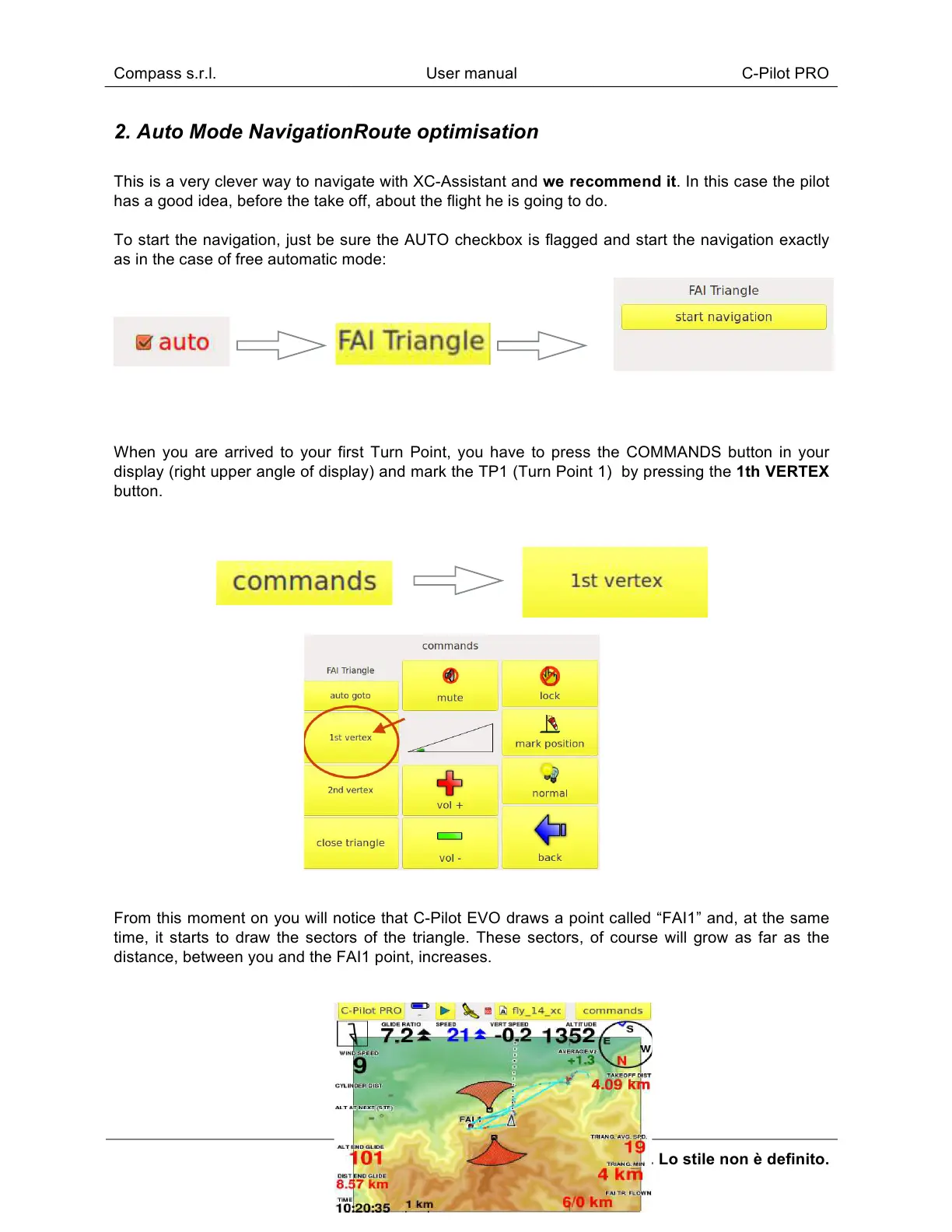
From this moment on you will notice that C-Pilot EVO draws a point called “FAI1” and, at the same
time, it starts to draw the sectors of the triangle. These sectors, of course will grow as far as the
distance, between you and the FAI1 point, increases.



 To Next Page