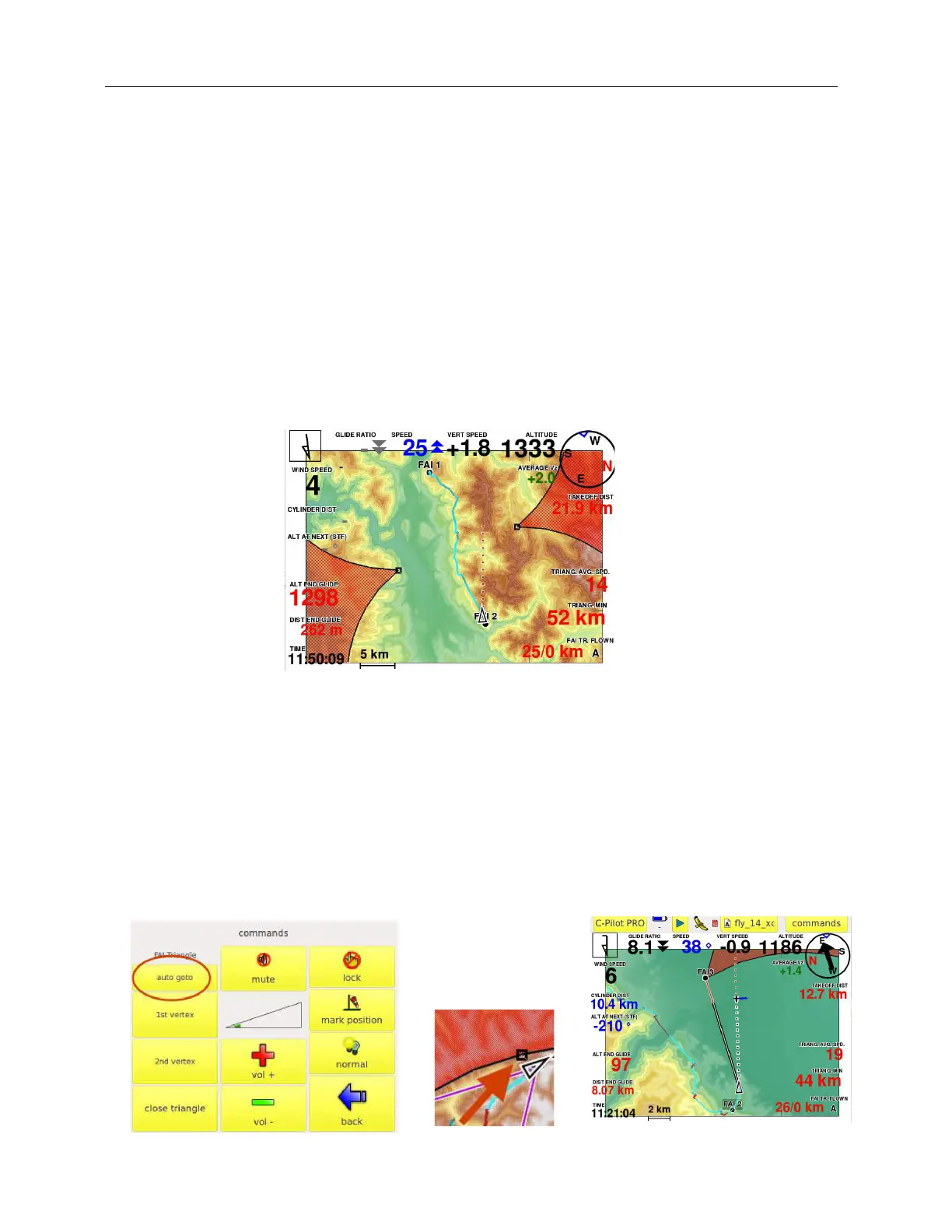
Note that it is not crucial to mark the FAI1 point with absolute precision: the instrument will calculate
the triangle using, in any case, the best points you your track. At the same time, it is important,
anyway, to be precise in marking the FAI1 point to let the xC-Assistant give good suggestions to you
while flying to the second Turn Point of the Triangle.
No more activity is required by the pilot from now on. In fact C-Pilot EVO will detect
automatically the turn point 2 (FAI2) by calculating (and re-calculating continuously) the best point
possible. Note that the instrument will automatically cancel the FAI2 point if it feels that the
pilot has reached a better point (as TP2) and is improving in his flight. As soon as the
instrument feels again that the FAI2 point is reached, the xC-Assistant will draw it again.
(Of course, if the pilot wants, the second vertex may be marked manually in the COMMANDS menu.
This option is to be considered useful in only some particular cases.)
From the moment the second vertex is marked by the instrument, you have two main options if you
want the instrument to navigate with more suggestions:
a) enter in the COMMANDS menu and press the button AUTO GOTO. In this case the
instrument will navigate you to the triangle sector, and will show some useful data fields
(example: glide ratio required to the best sector point; distance to the sector; arrival altitude
at the sector, navigation line to the sector … exactly as in competition
). Note that a little square will be automatically drawn by the instrument in the sector’s
side: this is the best point to touch for closing the triangle. From the moment the pilot
has reached the sector, the same will change colour (from red to grey) and the instrument
will navigate automatically the pilot to the closing sector.



 To Next Page