FAI triangle and Xc Assistant
TRIANG MIN: shows in real time, while flying, the minimum triangle possible considering the
track already done
TRIANG MAX: shows in real time while flying the maximum triangle possible considering the
track already done
TRIANG AVG SPD: shows in real time the average speed of the pilot in the optimized
distance already covered; this is very useful because the pilot has a good idea of his speed
during a cross country flight. As consequence he can decide if it is better to turn to close the
triangle or to insist to try a longer track.
FAI TRIANGLE FLOWN: this data field is composed by 2 numbers divided by a slash.
The number in the left shows the optimized distance already covered by the pilot
(considering the track).
The number on the right will be active only after the FAI2 point has been marked
(manually or in auto mode): this number shows the total optimized distance necessary
to close the triangle.
Example: 64/100 = the pilot has already flown 64 Km. the total minimum flight length is 100
km (for closing completely the triangle).
In some cases it is possible to find the number in the right showing less distance (in Km)
than the one in the left. This is not an error but a good suggestion. In fact the XC-Assistant
has calculated that the best triangle possible considering the flight already done is more little
than the distance covered. As consequence the pilot will obtain more points in closing a
FLAT triangle rather than a FAI triangle
Example: 100/52 = you can close a triangle of max 52 km … but you have already flown 100
km. As consequence is more useful to continue the flight or to go back and close a flat
triangle.
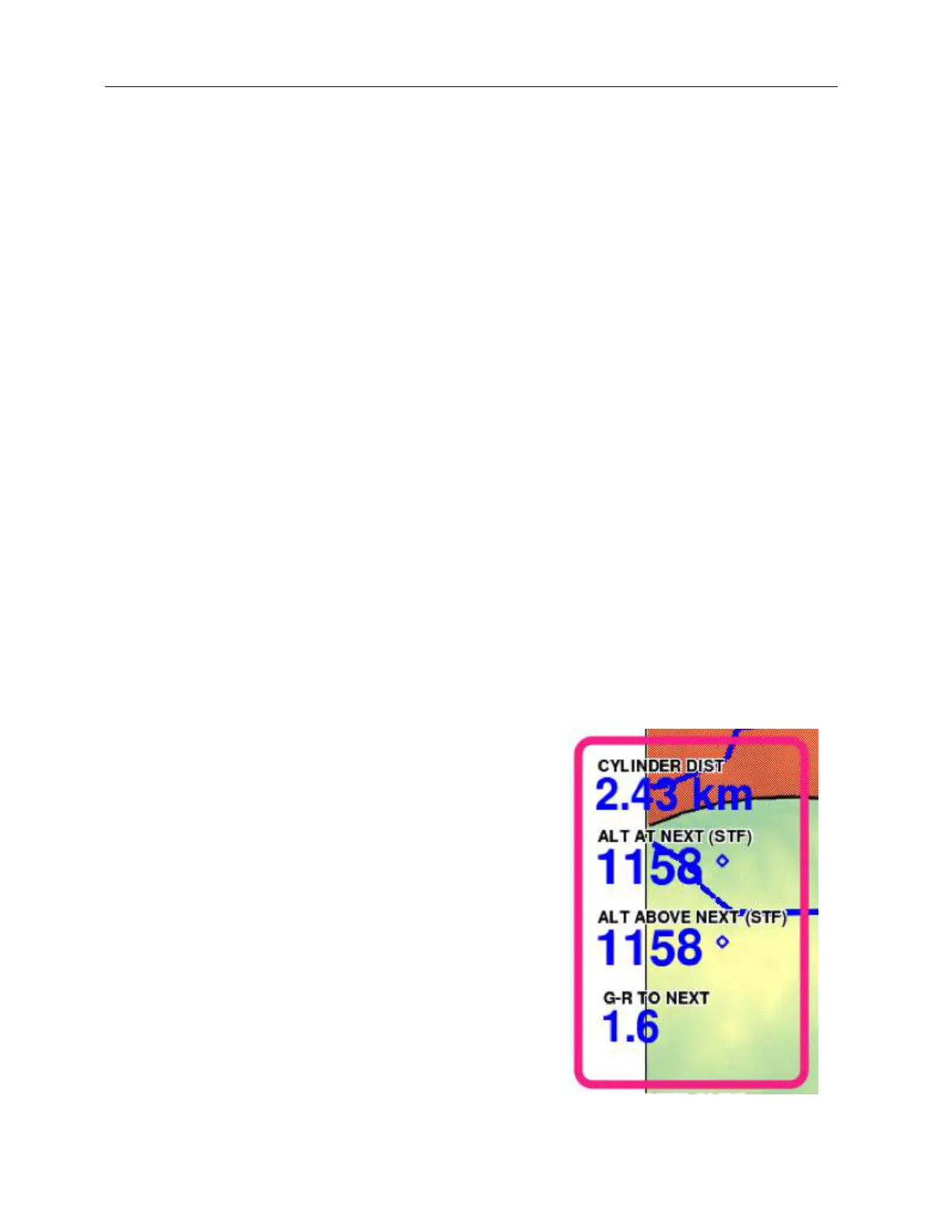
CYLINDER DIST: this fileld (normally used in
competition to show the distance to the WP cylinder)
if the XC-Assistant is activated with AUTOGOTO will
show the distance to the next sector of the triangle
ALT AT NEXT: this fileld if the XC-Assistant is
activated with AUTOGOTO will show the altitude the
pilot will arrive to the next sector of the triangle
ALT ABOVE NEXT: this fileld if the XC-Assistant is
activated with AUTOGOTO will show the altitude the
pilot will arrive above the next sector of the triangle
considering the terrain
G/R TO NEXT: this fileld if the XC-Assistant is
activated with AUTOGOTO will show the altitude the
pilot will arrive to the next sector of the triangle



 To Next Page