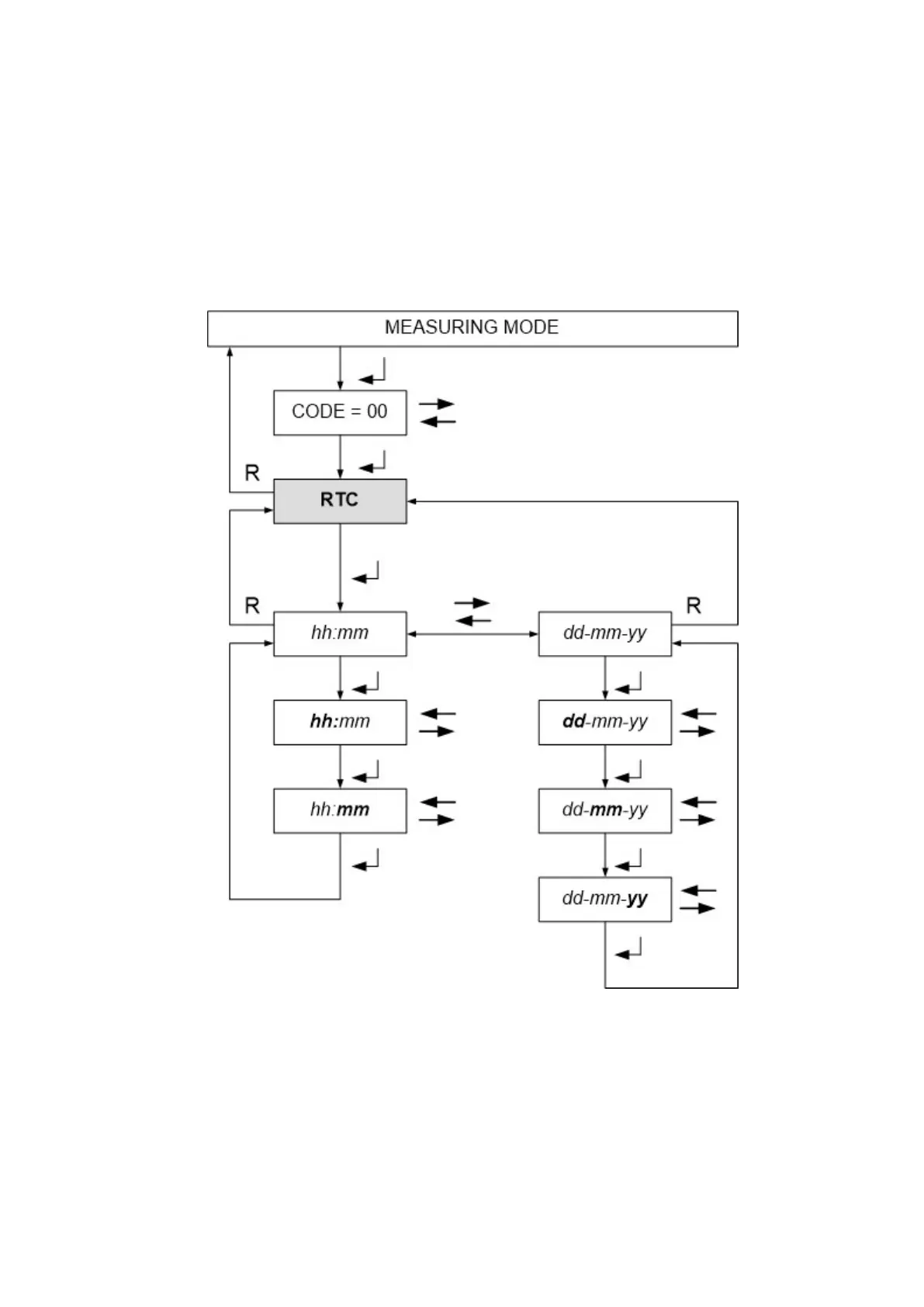
6.2 Setting the Real Time Clock
The real time clock has been set ex-works. Probably you will have to adjust it to your local time. Only
correct clock settings make sure that all alarm and calibration protocols are correct.
The clock is buffered with a battery.
All flashing display segments shown below in bold face are adjustable. Confirm with ENTER.
Time (hour / minute) is displayed in the 24 hour format.
Date is displayed in the format day / month / year.


 To Next Page