DMD1050 Satellite Modem Board TCP/IP Ethernet Setup
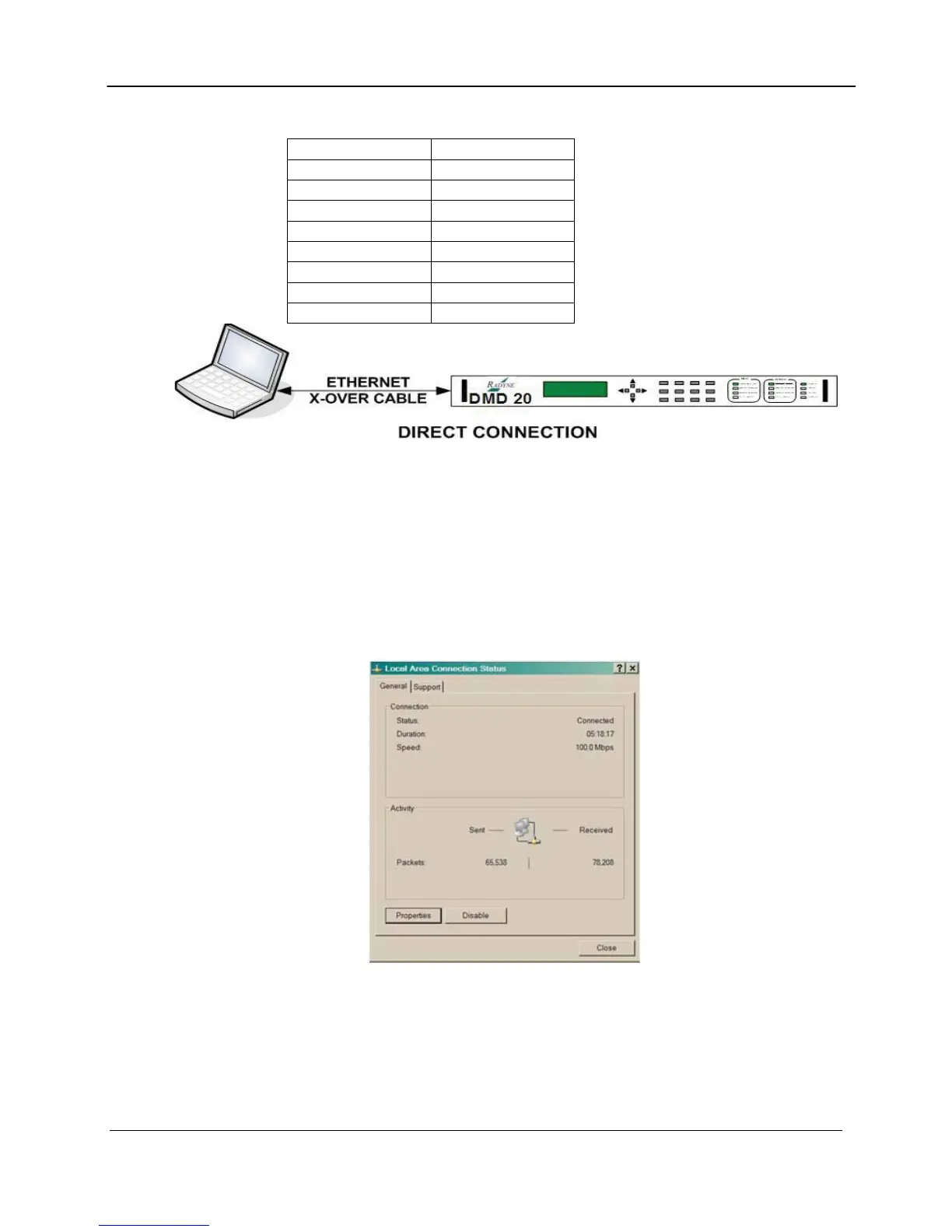
The pinout for this Ethernet Crossover (Null) cable is as follows:
RJ45 Connector A RJ45 Connector B
Pin #1 Pin #3
Pin #2 Pin #6
Pin #3 Pin #1
Pin #4 Pin #4
Pin #5 Pin #5
Pin #6 Pin #2
Pin #7 Pin #7
Pin #8 Pin #8
The Computer TCP/IP must be properly configured in order to obtain connectivity. The
following set-up procedure can be used as a guide to aide in this setup. The following
instructions apply only to Windows 2000 or XP Classic.
1. Click on the Start Button. Select Settings and click on the Control Panel Icon. Double click
the Network Connections Icon.
2. Select the Local Area Connection icon for the applicable Ethernet adapter. Usually it is the
first Local Area Connection listed. Double click the Local Area Connection. Click on the
Properties icon.
Local Area Connection Status Box
MN-DMD1050 C–4
Revision 9



 To Next Page