DMD1050 Satellite Modem Board TCP/IP Ethernet Setup
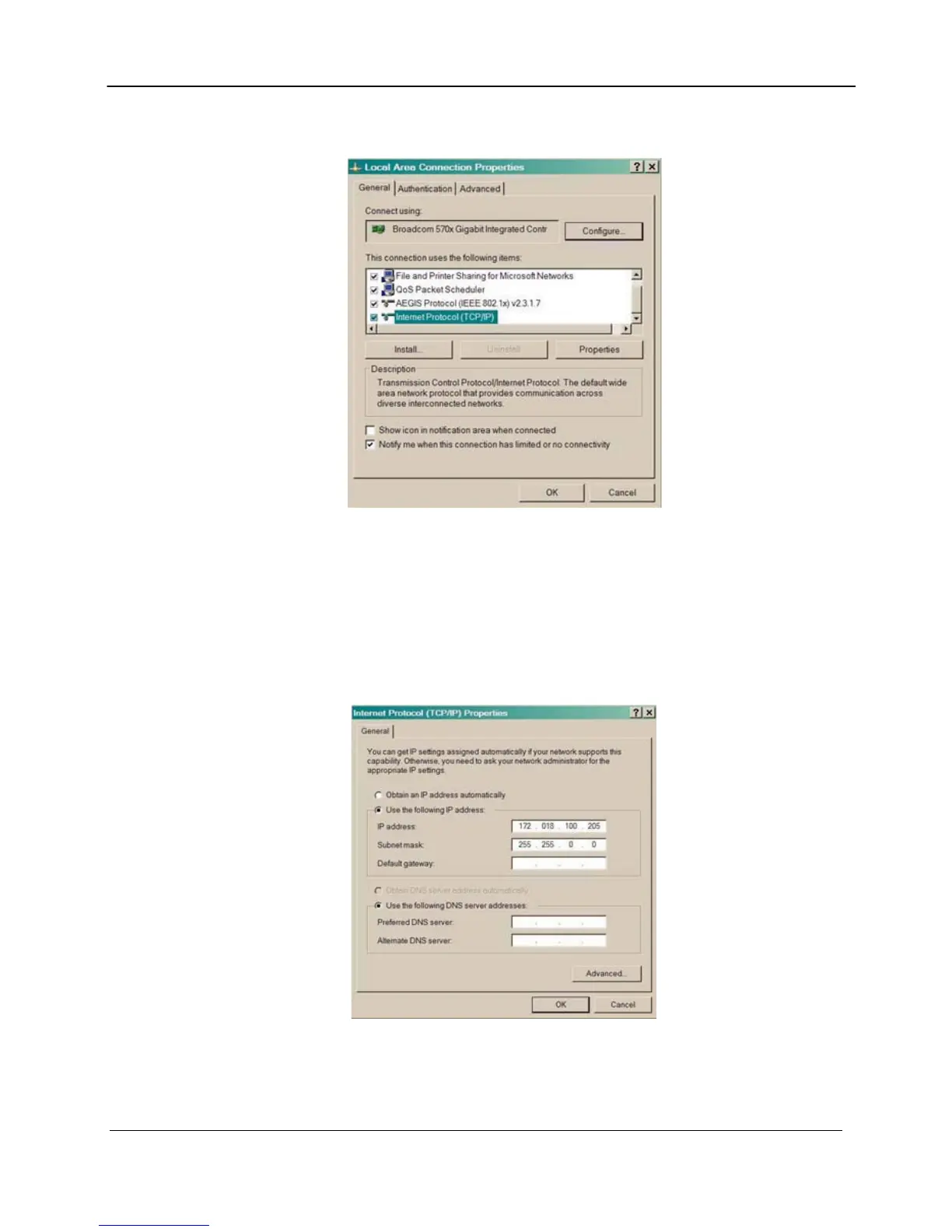
3. Make sure that the box next to the Internet Protocol (TCP/IP) is checked. Highlight
Interconnect Protocol (TCP/IP) and click on the Properties button.
Local Area Connection Properties Box
4. Select “Use the following IP Address”. Enter in the IP Address that is offset by 5 or so
numbers from the equipment address (the computer and the equipment that it is connecting to
can not have identical addresses) and Subnet Mask ( this is identical to the subnet mask
programmed into the equipment) into the corresponding fields. Click the OK button to
complete the PC Configuration. Note: some computers may require that the computer be
restarted for the changes to take effect.
Internet Protocol (TCP/IP) Properties Box
5. To reconnect the computer to a network, select the “Obtain an IP address automatically”
selection in the screen shown above.
MN-DMD1050 C–5
Revision 9



 To Next Page