4
O p e r a t i o n
C o n t r o l Fun c ti o n D es c ri p ti o ns -
S t a n d Al o ne Co n f i g u r a t i o n
( c o n ti n ue d )
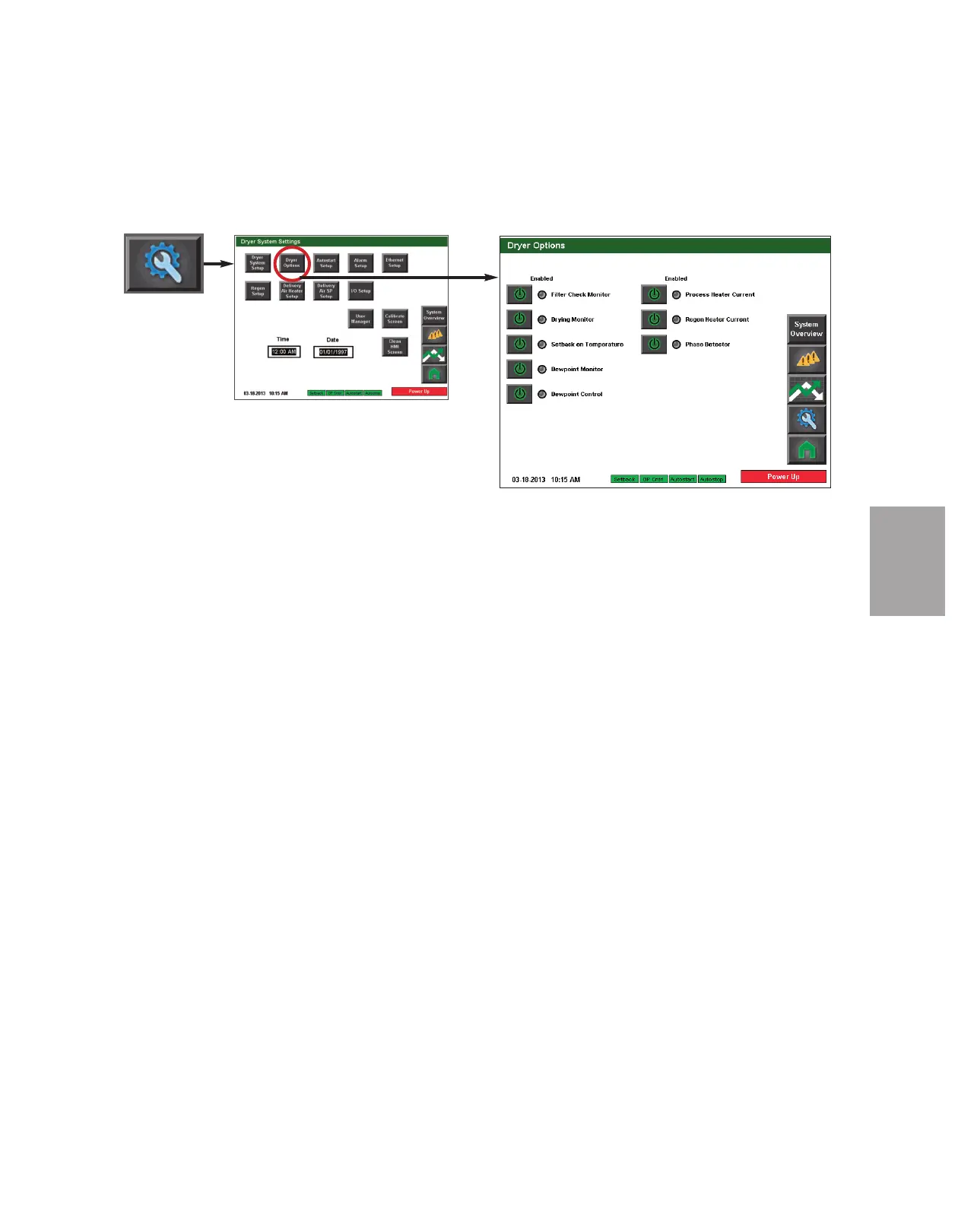
Dryer Options screen
To access the Dryer Options screen:
1 Press the Settings button from the Home screen.
2 Press the Dryer Options button.
The Dryer Options screen provides the user with the ability to enable or disable options.
This screen allows you to change the status of:
• Filter Check Monitor
• Drying Monitor
• Setback
• Dewpoint Monitor
• Dewpoint Control
• Process Heater Current
• Regen Heater Current
• Phase Detector
NOTE: Proper login is
required to change these set-
tings.
✐
NOTE: Depending on the configuration of your dryer and your drying system, some of the options may not be
available or visible on your screen. Your screen may appear different from what is shown here.
✐
O p e r a ti o n l 4 - 6 1


 To Next Page
 Loading...




