Preparing to Take Pictures
— 11 —
Using a Memory Card
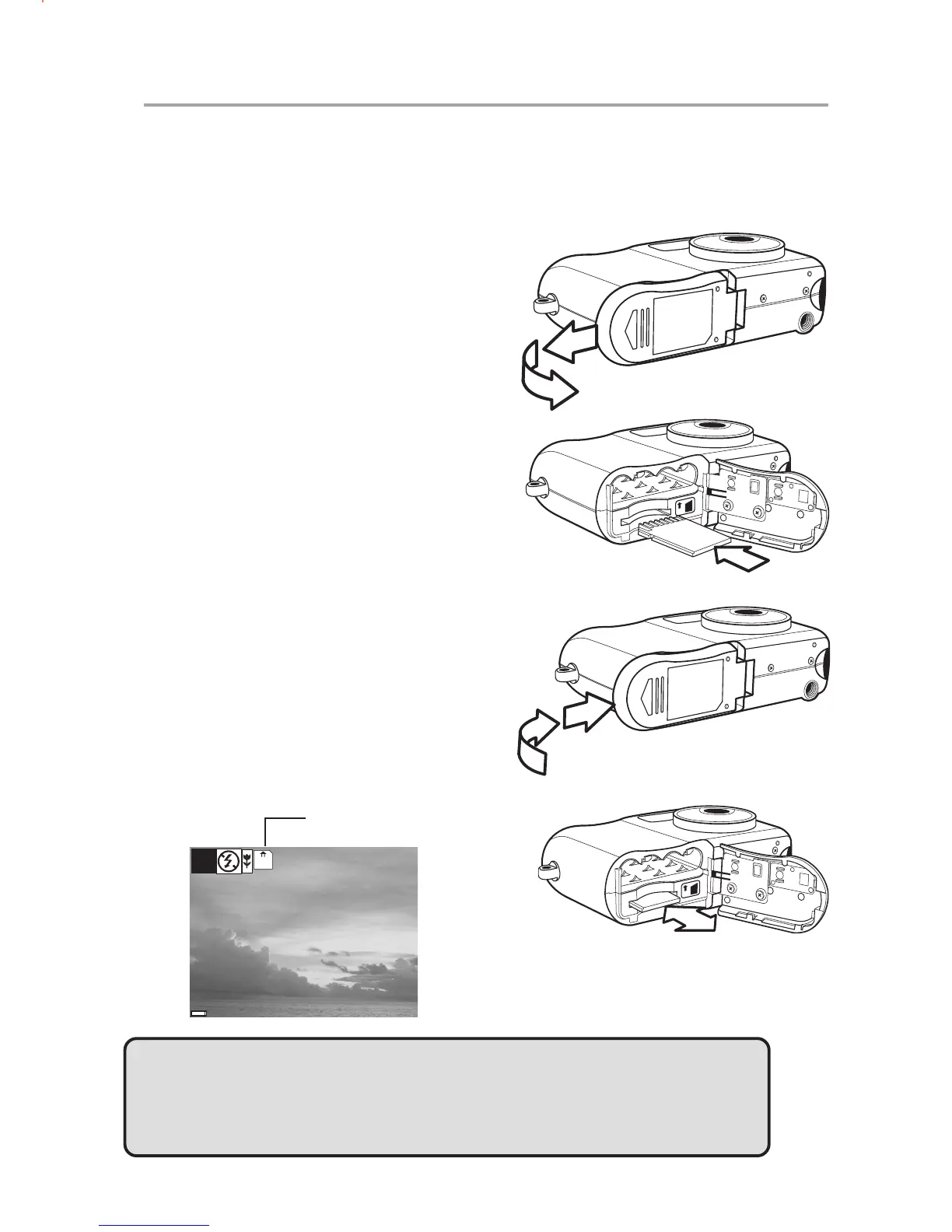
Inserting an SD memory card
1 Slide open the battery cover (A).
The card slot is located next to the
battery compartment.
2 Slide the SD card into the slot in
the direction illustrated (B).
3 Close the battery cover (C).
Removing an SD memory card
1 Slide open the battery cover (A).
2 Gently press the SD card toward
the camera and release it. The SD
card ejects part way out of the slot
(D).
3 Hold the card and pull it out of the
slot.
4 Close the battery cover (C).
IN
A
B
IN
C
D
When a memory card is inserted, an icon
appears in the LCD.
NOTE:
After insertng a memory card, the files to be created will be saved in the
memory card, but the files already creatd before inserting a memory card will
still remain in the internal memory.
38



 To Next Page