4-15
Calibration
888 888 88
CAL rn
2Er 3Er Cu
Cu 500 P
COA bP PAdALL
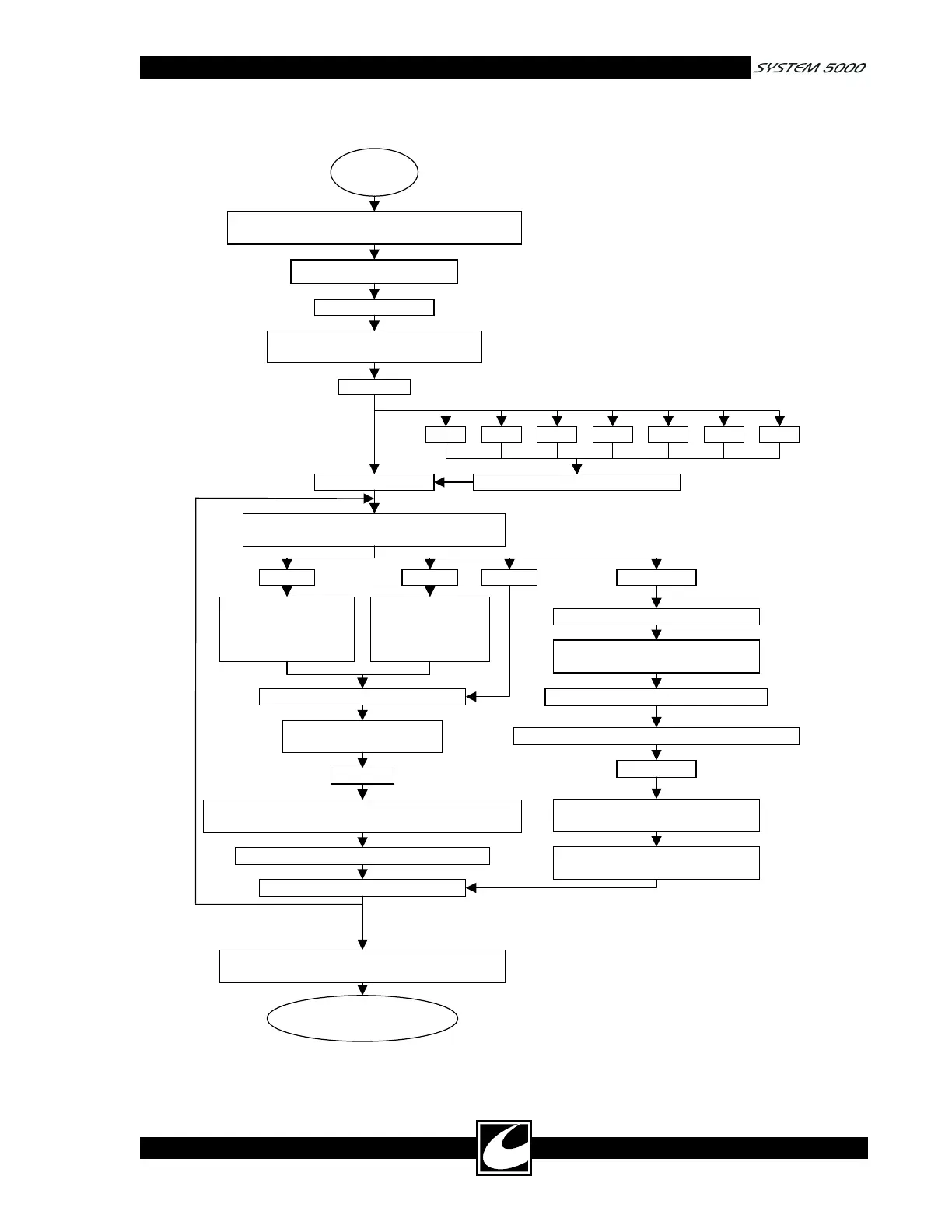
Press Remote Power Control Key,
release when tones begin.
Press Remote Power Control Key.
Press Cut Mode
Scroll Key to select
Pure, Blend 1,
Blend 2 and Blend 3.
Press Monopolar Cut Power Adjustment
Keys to select Cu, COA, bP and PAd.
Set the Calibration System Configuration
Dipswitch on the Controller to the ON position
Turn main power switch on.
Connect indicated load
with meter to output
Activate.
Press Monopolar Coag Power Adjustment keys to
match power/current to Calibration Target.
Minimum activation 2 seconds, release.
COA bPCu PAd 10
Press Coag
Scroll Key to select
Pinpoint, Spray
and Standard
Connect 10 ohm load Two-Pin
Dispersive Electrode Receptacle
Press Remote Power Control Key
Press Remote Power Control Key.
Press Remote Power Control Key
Press Bipolar Power Adjustment Key
Connect 150 ohm load Two-Pin
Dispersive Electrode Receptacle.
Press Monopolar Coag Power Adjustment Key
Press Bipolar Power Adjustment
Key.
PAd 150
End - Main power
switch off.
Set the Calibration System Configuration
Dipswitch on the Controller to the OFF position
Figure 4.1 Calibration Procedure Flow Chart














 To Next Page