Anvil Embedded System
Users Guide
www.connecttech.com
Document: CTIM-00066
Revision: 0.00
Part Numbers / Ordering Information
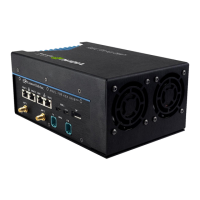
Anvil Actively Cooled version with embedded fans
Anvil Passively Cooled version that requires user supplied external airflow
*Note that various configurations exist to fill out the features of the
system. For example: Adding NVMe SSDs for storage, and/or WiFi/BT
and/or LTE modems. Also different JCB combinations to externalize the
camera interfaces can be used, like the JCB002 or JCB006.
Contact sales@connecttech.com to configure your system.
Two (2) Mounting brackets are included for multiple mounting options.
Each unit includes rubber feet pre-installed on the bottom, but can be
swapped out with the included mounting brackets.
Four (4) Black Flat Head M3 6mm screws to fasten the brackets to the
housing.
12” GPIO Breakout to flying leads
12” CAN Bus Breakout to flying leads
12” 6-pin to 6-pin power connection cable
PSU 6pin 12V 250W (CTI sourced power brick)


 To Next Page