Operating Manual PG11 / PGE11 Page 30
6.4.1 Downloading Self diagnostics datalog
1. Connect PC with Service software to modbus on terminals 4 and 5.
2. Start Service SW.
3. Follow instructions for Service SW to download diagnostics file from the Detector.
4. Store the Diagnostics file in a suitable place. The Diagnostics file can be sent to the vendor for
analysis.
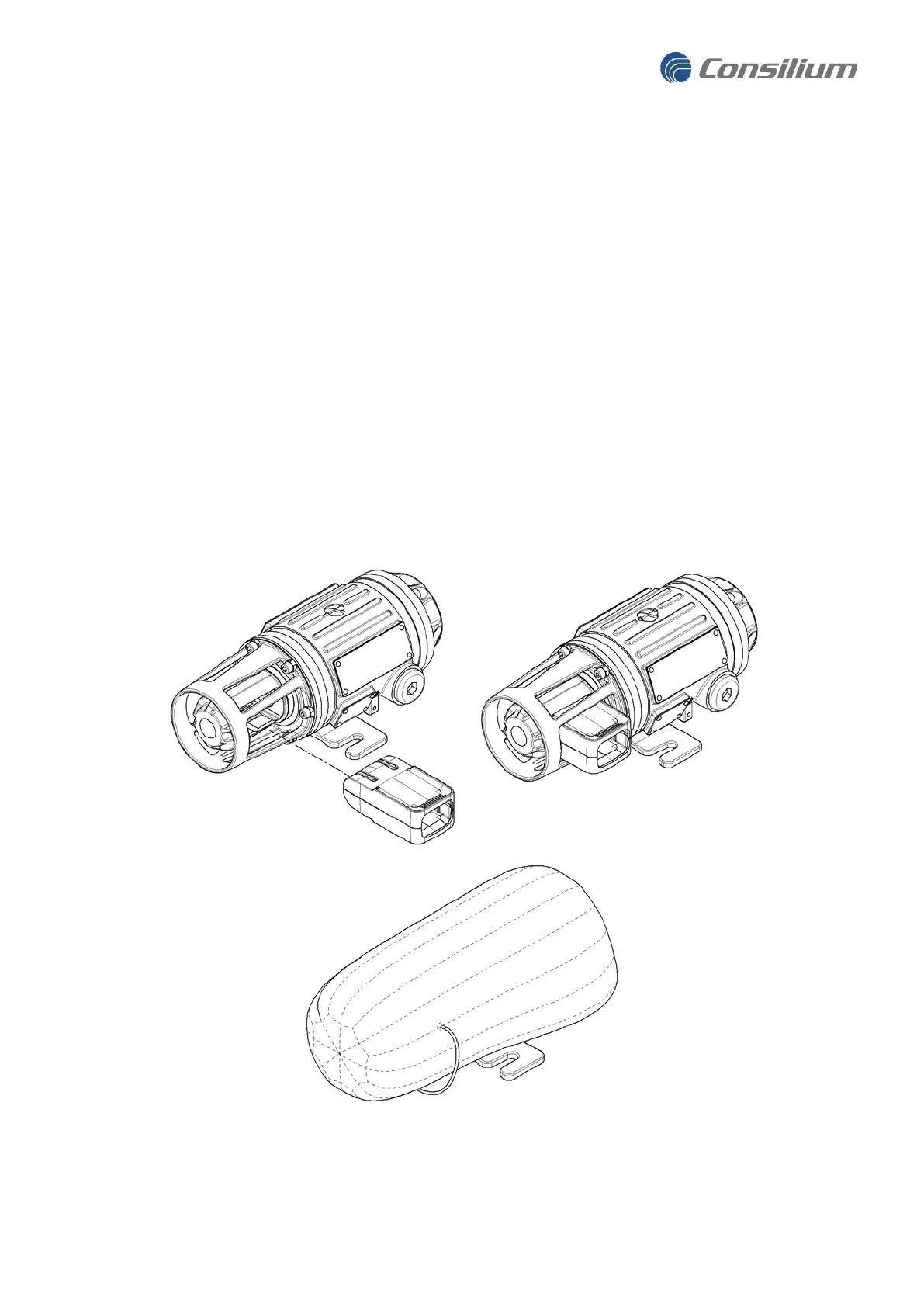
6.5 The Blocking kit - Protection during site Maintenance
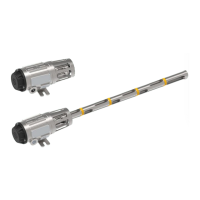
Site Maintenance such as sand blasting and painting might damage the detector. To protect the Detector
during such work it is recommended to use the Blocking kit accessory. The Blocking kit will fit into the
Detector as illustrated below, protecting both the Optics and Detector from pain, sandblasting and dirt. The
Blocking kit will fit into the nose section and will block the Optics forcing the detector into sending a Fault
signal so the Detector is not forgotten being covered with the Blocking kit.
Shown in the third image below is the protection bag that will fit over the housing. This protection bag is
packed inside the Blocking kit.


 To Next Page