16
CAMERA AND VIDEO
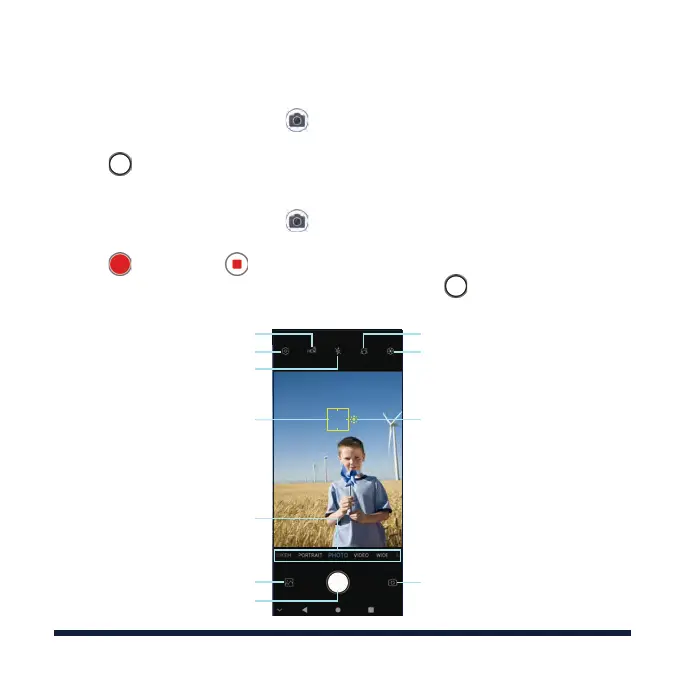
TAKING A PHOTO
1. From the home screen, tap .
2. Aim the camera at the subject and make any necessary adjustments.
3. Tap .
RECORDING A VIDEO
1. From the home screen, tap > VIDEO.
2. Aim the camera at the subject and make any necessary adjustments.
3. Tap to start and to stop recording.
TIP: While the recording is in progress, you can tap
to save the frame as
a photo.
Capture a photo
Adjust the focus point
Scroll to switch mode
View your photos and videos
Turn HDR on/o
Change the flash setting
Change beauty settings
Select a filter
Adjust the exposure
Switch between the front and
back cameras
Change the camera settings



 To Next Page