17
PLAYING MUSIC
1. Swipe up on the home screen and tap .
2. Sign in to your YouTube Music account or tap DEVICE FILES ONLY to
play only the music on your phone.
3. Tap Songs.
4. Tap a song to play it.
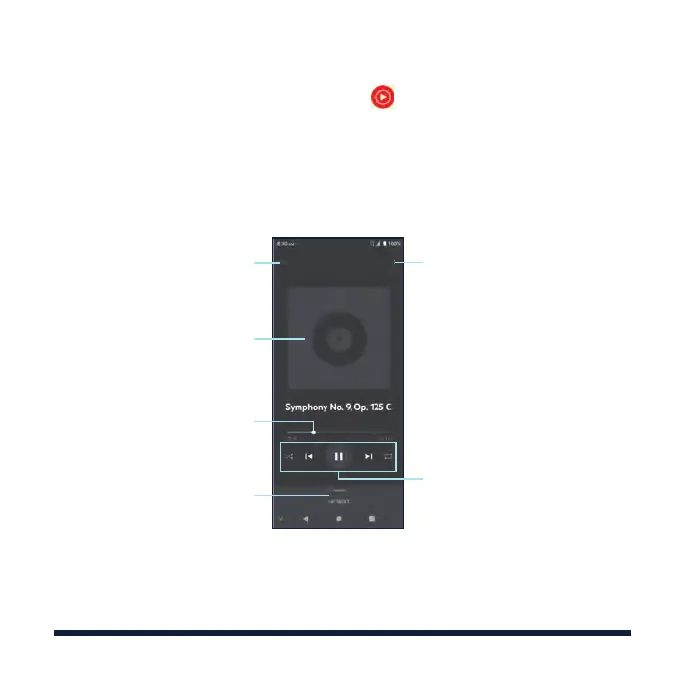
Album artwork (if available)
Return to the music library
Drag the slider to jump
to any part of the song
Check the current playlist
Access additional options
Playback controls: Skip songs,
pause/resume playback, or
toggle shue and repeat



 To Next Page