Maintenance 31
Calibration - Scanner Maintenance program
Scanner calibration is very easy to perform with the Scanner Maintenance program you installed with your drivers. You just insert a calibration sheet, start the
Scanner Maintenance program and let the wizard take over.
NOTE: Be sure to clean the scanner and scan area before calibrating.
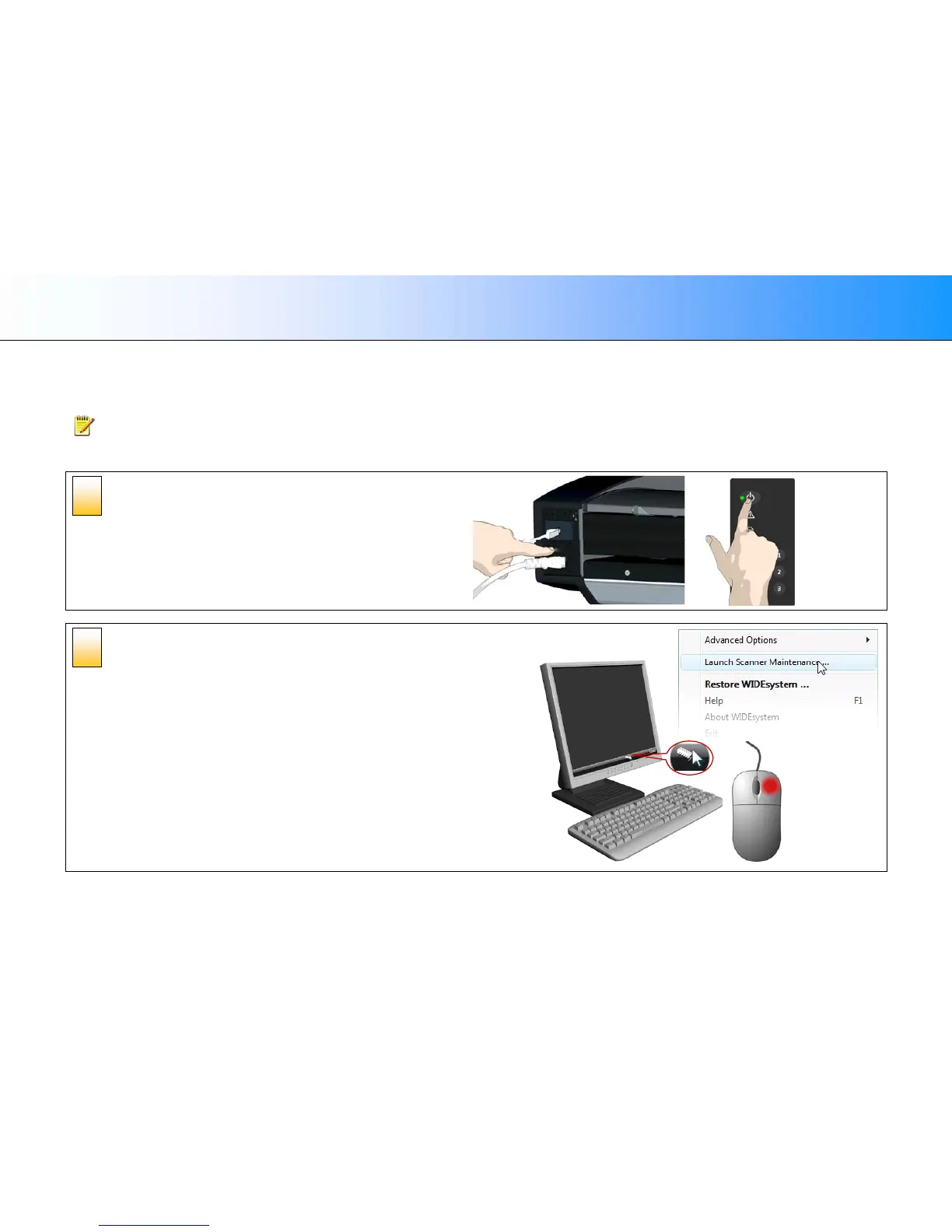
To calibrate your scanner:
Turn the scanner power ON
If the main power is OFF, press the main power switch at the back of the
scanner to the ON position. If the scanner is in Sleep mode, press any
button to set it in Wake mode.
The scanner is ready for calibration when the power LED lights green.
Launch the scanner maintenance
program
1. On your PC - Right click on the WIDEsystem scanner icon.
2. Select Launch Scanner Maintenance to open the program’s welcome
dialog.
2
1













 To Next Page