Maintenance 36
Replacing the glass plate – Overview of key parts
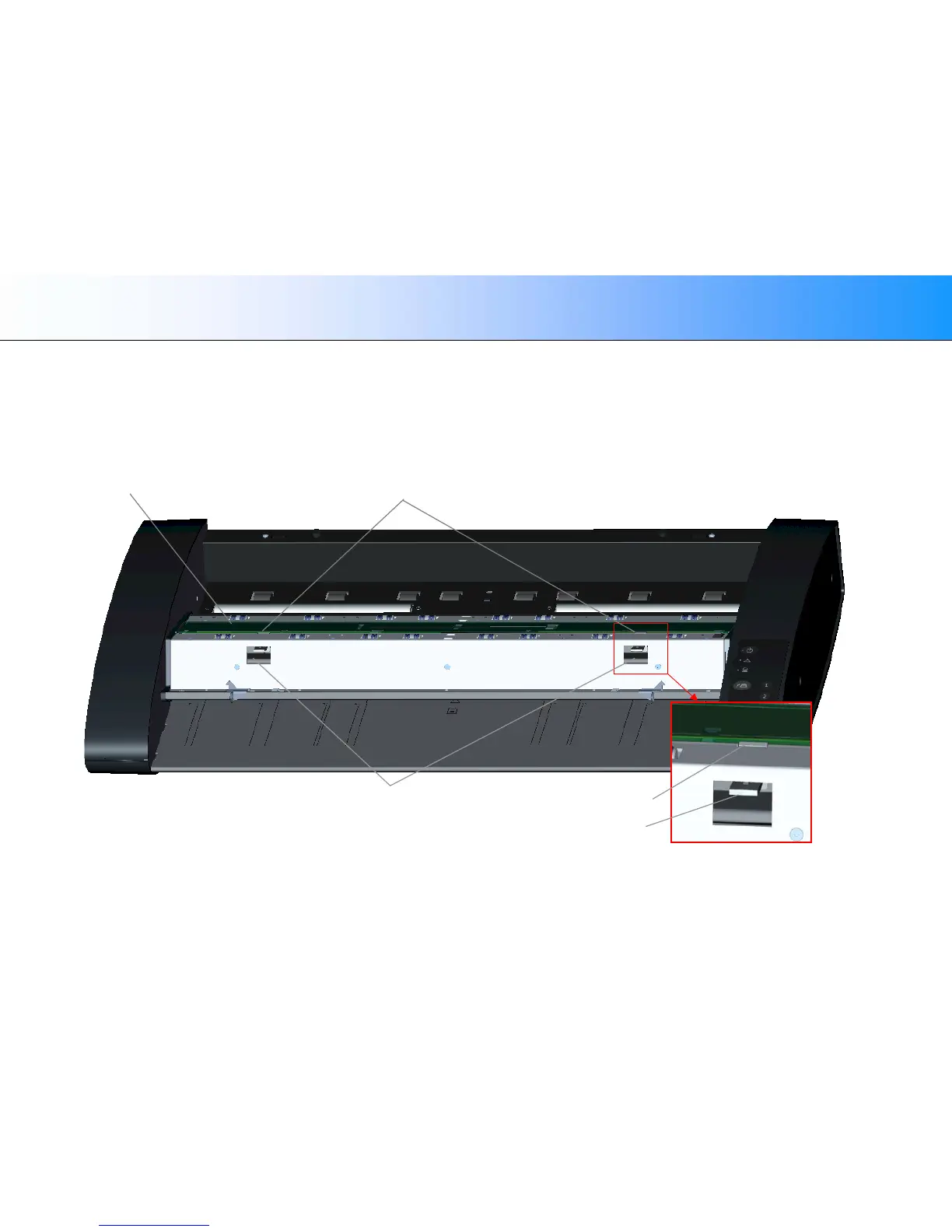
The illustration below shows the scanner from above with its lid open. The illustration indicates the key parts and buttons you need to recognize when replacing a
worn glass plate.
The glass plate is held and locked in place with 4 small white-colored latches. Each latch can be released from the glass plate by pressing down on its
corresponding latch release button. Each latch release button is placed in a square hole just under the latch it releases.
Glass plate 2 Glass plate latches (these hold the glass plate in place)
2 Glass plate latch release buttons in the square holes
Glass plate latch
Release button













 To Next Page