Maintenance 37
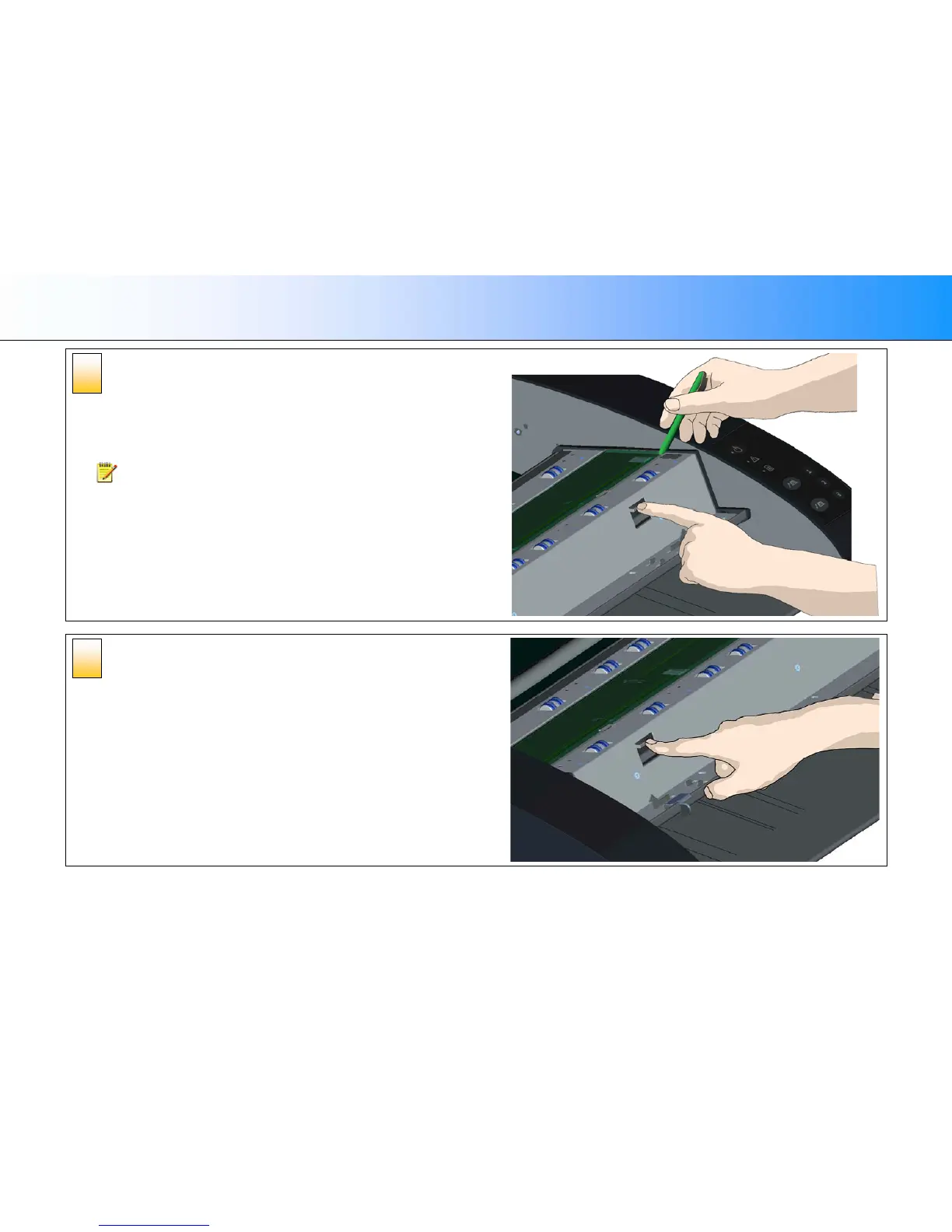
Detaching the glass plate – free the 1st latch
Stand at the front of the scanner. You start at the scanner’s right side.
1. Detaching the first (rightmost) latch requires a sharp, flat tool such as a pen or a
small screwdriver.
NOTE: Detaching the remaining latch will not require use of a tool.
2. Locate the arrow label at the scanner’s right side.
3. Position the tool just under the glass plate edge where the arrow label indicates.
At the same time; press down on the latch release button in the first (rightmost)
square hole.
4. Carefully, use the tool to flip the edge of the glass upwards until it comes above
and free of the white latch that held it down.
5. Release the latch release button.
Detaching the glass plate – free the 2nd latch
After freeing the first latch in the previous step, freeing the 2nd latch is easy.
1. Press down on the latch release button in the 2nd square hole.
2. The 2nd latch will release its grip and the glass will pop up over the latch.
3. Let go of the latch release button.
6
5













 To Next Page