Maintenance 40
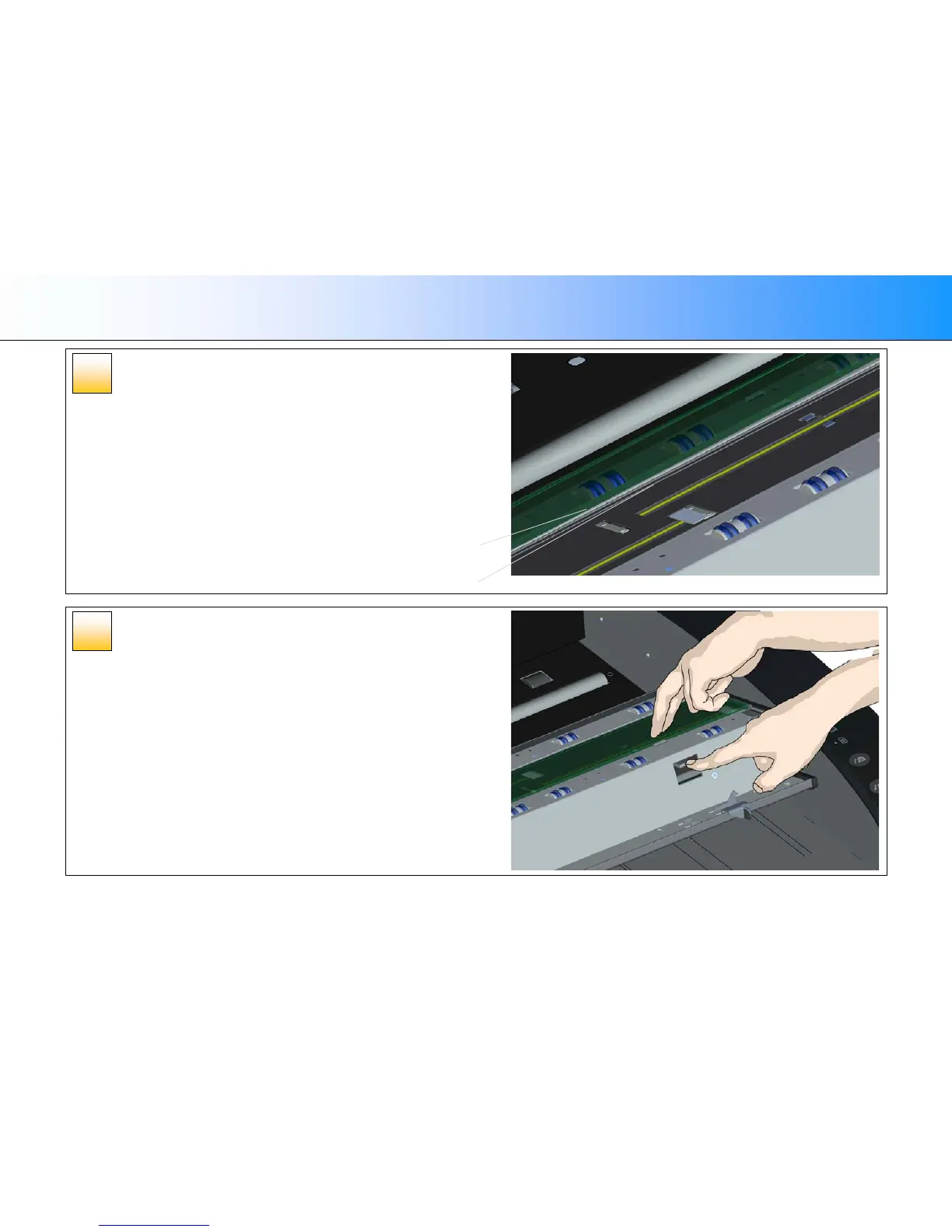
Insert a new glass plate –
fit into bottom position groove
1. The glass plate will rest in the scanner’s lid between the bottom and top position
grooves. Locate the glass plate’s bottom position groove in the lid. This is the
groove furthest from your body when you stand at the scanner’s front.
2. Place the lower edge of the glass plate so it rests in the glass plate’s bottom
position groove.
3. Carefully tilt the upper edge (the edge closest to your body) down until the glass
plate rests in the scanner lid between the 2 grooves (top/bottom position
grooves).
Lock the new glass plate in place
The glass needs to be locked in place with the two latches. At this point, the latches
are under the glass plate and they need to be brought above so they grip the glass
plate’s edge.
1. Start at the right side.
2. Press down on the first (rightmost) latch release button.
3. With your other hand, press down on the glass plate near the latch so the glass
plate’s edge snaps down under the latch.
4. Repeat the process with the other latch.
5. Ensure that both latches are gripping the glass plate’s edges.
11
10
Bottom position groove
Glass plate lower edge













 To Next Page