MANUALP/4000_SERVICE_0712 July2012
15
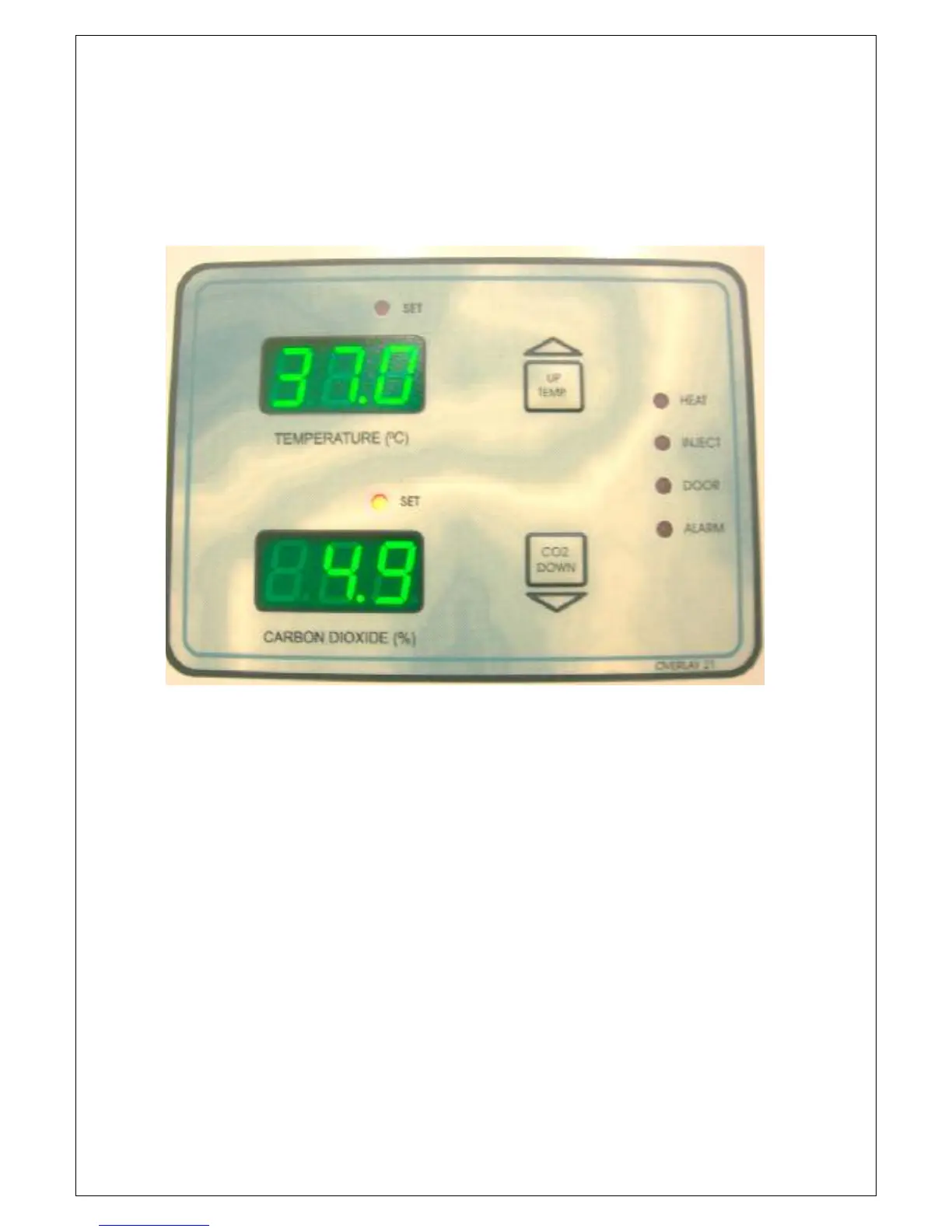
OPERATING CONTROL PANEL
The Control Panel on the outer door is used to access the operating conditions
for the enclosure.
UP/TEMP
This button is used to increase the parameter value, to display the enclosure
Temperature and the Temperature set point. This will sometimes be referred to
as the TEMP or the UP button.
DOWN/CO
2
This button is used to decrease the parameter value, to display the CO2 set
point and the Relative Humidity (Non INFRA-RED Models ONLY). This will
sometimes be referred to as the CO
2
or the DOWN button.
SET
These LED’s indicate if the Temperature or CO
2
displays are in SET MODE.


 To Next Page