MANUALP/4000_SERVICE_0712 July2012
71
Servicing Procedure:
Replacing the Temperature Sensor
The instruction below demonstrates how to replace the temperature sensor.
Suitably qualified electrical personnel should only carry out this procedure.
Schedule of servicing:
As and when needed.
Safety requirement:
Ensure that the cabinet’s power cord is unplugged from the power source
before attempting to remove and replace the temperature sensor.
Servicing Procedure:
1. Ensure the safety requirements are in place.
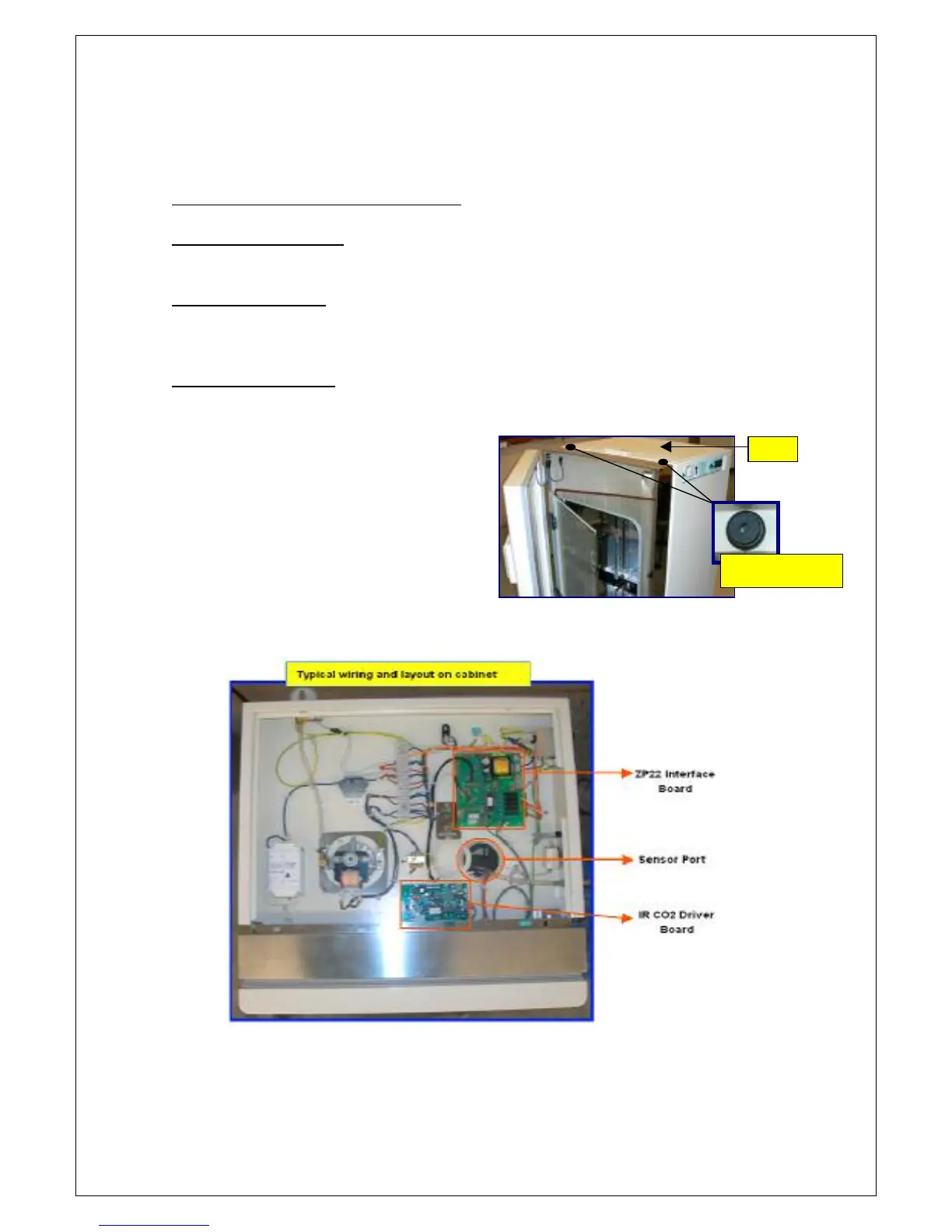
2. Completely remove the top
cabinet lid by turning the 2 black
plastic fastener anti-clockwise
until it pops up & unplug the earth
wire connected to the lid.
WARNING: Ensure the cabinet is
unplugged from the main supply!
3. Locate the ZP22 interface controller board, IR CO


 To Next Page