MANUALP/4000_SERVICE_0712 July2012
72
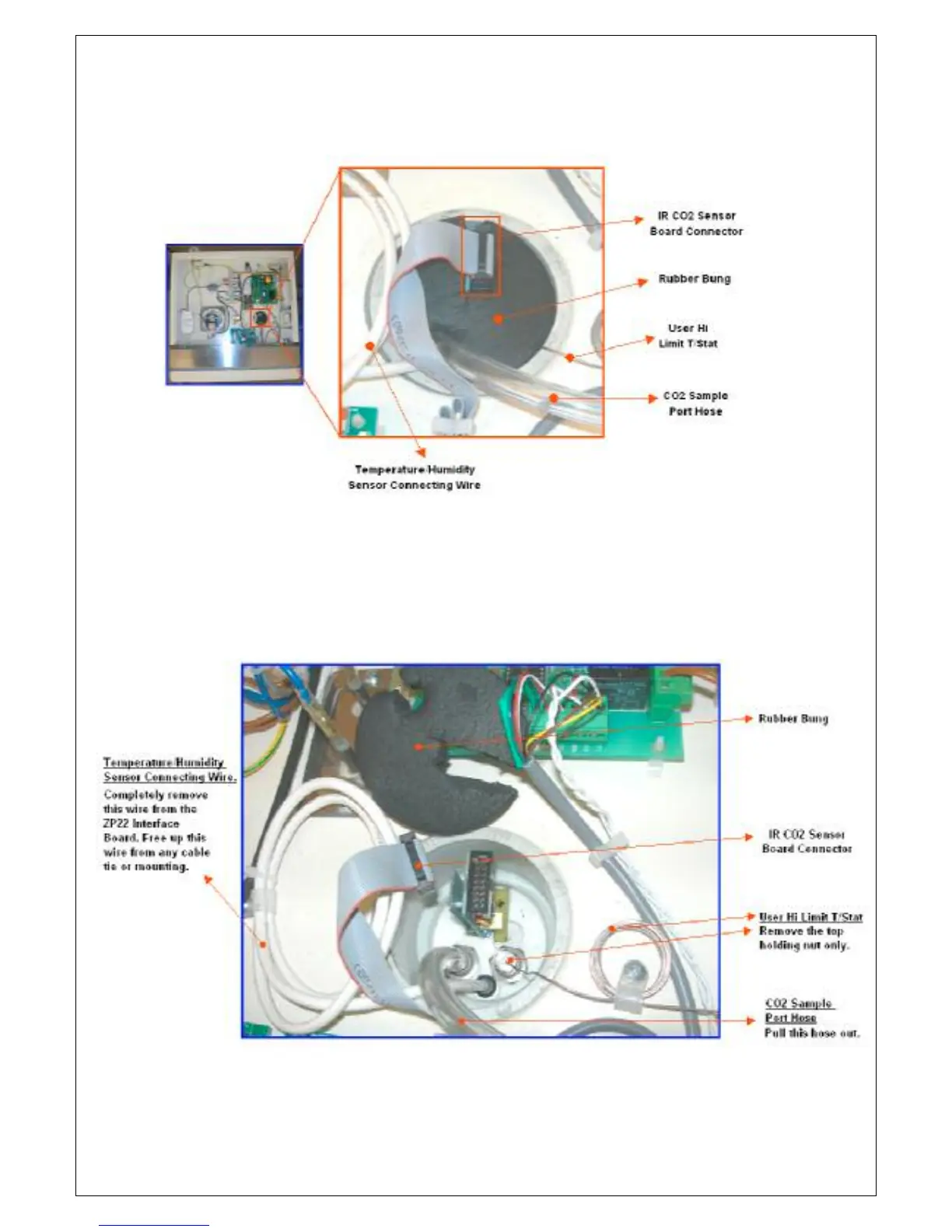
4. On the sensor port, unplug the IR CO
sensor connector. Carefully
remove the rubber bung.
5. With the rubber bung removed, carefully pull out the CO2 sample port
hose. Unscrew the T/Stat mounting and completely remove the sensor
wires from the ZP22 Interface Board (free this wire from any mounting or
cable ties). Note down the color code and position of the wires from the
ZP22 interface board.


 To Next Page