MANUALP/4000_SERVICE_0712 July2012
73
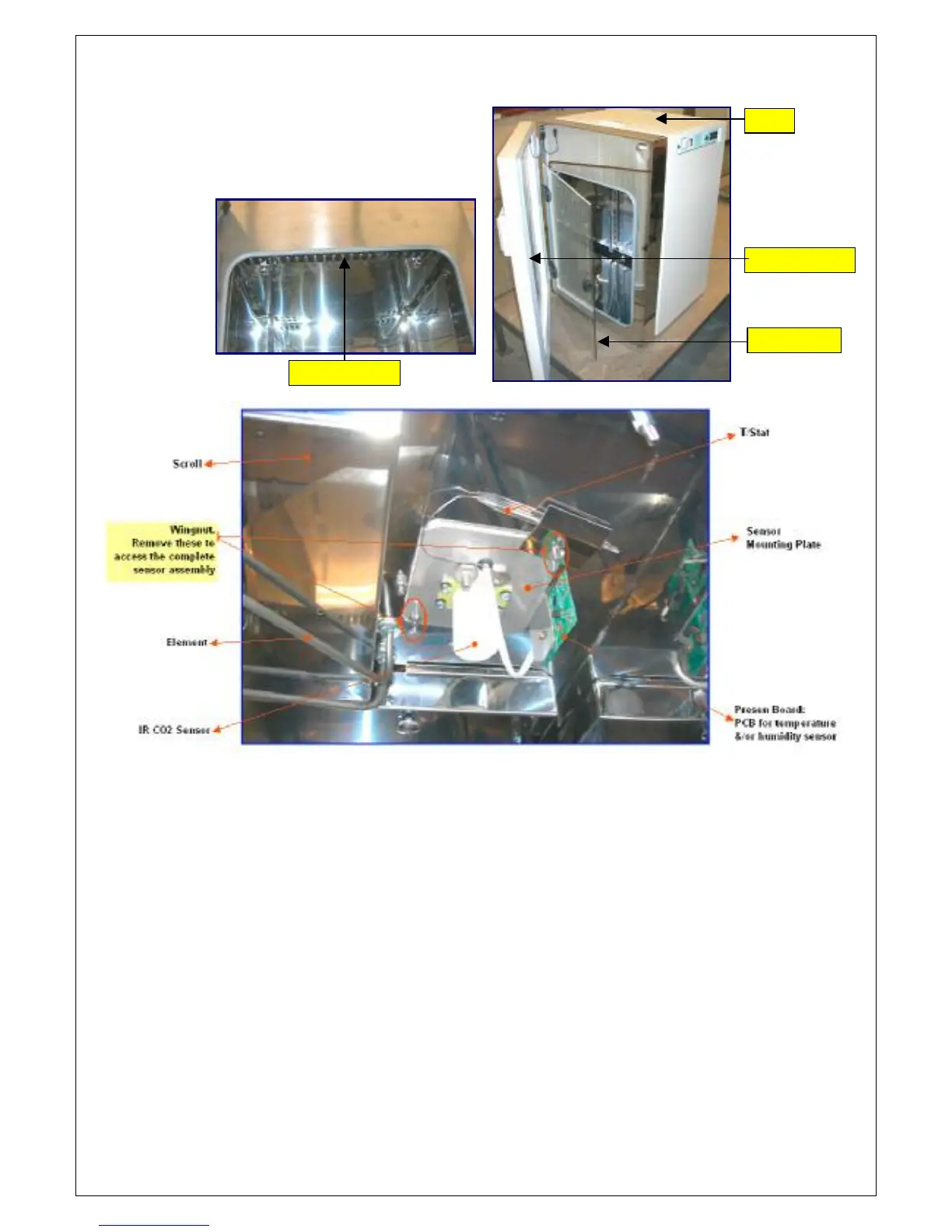
6. Open the cabinet chamber &
glass door. Remove the element
cover to expose the element,
scroll and sensors.
7. Remove the 2 wing nut to access the complete sensor assembly. Ensure
that the sensor assembly is well supported and that all sensor wires and
mounting on top are removed.
8. Slowly pull out the complete sensor assembly from the cabinet
chamber. The temperature sensor is fitted on the PRESEN BOARD.
Lid
Glass Door
Chamber Door
Element Cover


 To Next Page