212-M-V2.1
Operation 19
3.2 CHECKING SET-UP PARAMETERS
By pressing the DISPLAY key for 5 seconds, the program will enter the Check Set-
up Parameters mode. Various set-up parameters can be checked, but not
changed, by using the DISPLAY key.
Set-up Mode may be exited by either moving to the last set-up item, QUIT,
and selecting YES, or the DISPLAY key may be pressed and held for 5 seconds.
After this time, the Model 212 will return to normal operation.
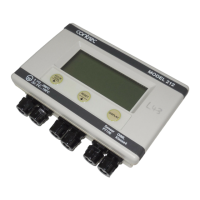
The readout will display the following:
Parameter Value Description
1. LANG ENGL
GERM
Current language.
2. MODE HEAT
COOL
HT/CL
CHAR
Current mode of operation.
3. UNITS SI
US
Metric units.
US units.
4. FACTOR xxx.x p/ltr The K-factor of the flowmeter which
has been programmed.
5. CUTOFF x.xx Hz Low frequency cut-off of the
flowmeter expressed in Hz. The
Model 212 will not register flow if
the input frequency is below this
value. (Default is 0.25Hz).
See Section 3.4.


 To Next Page