Preparing a VFC400-USB for first use VFC400-USB User Guide 12
Inserting the Batteries
The VFC400-USB operates with two AAA batteries:
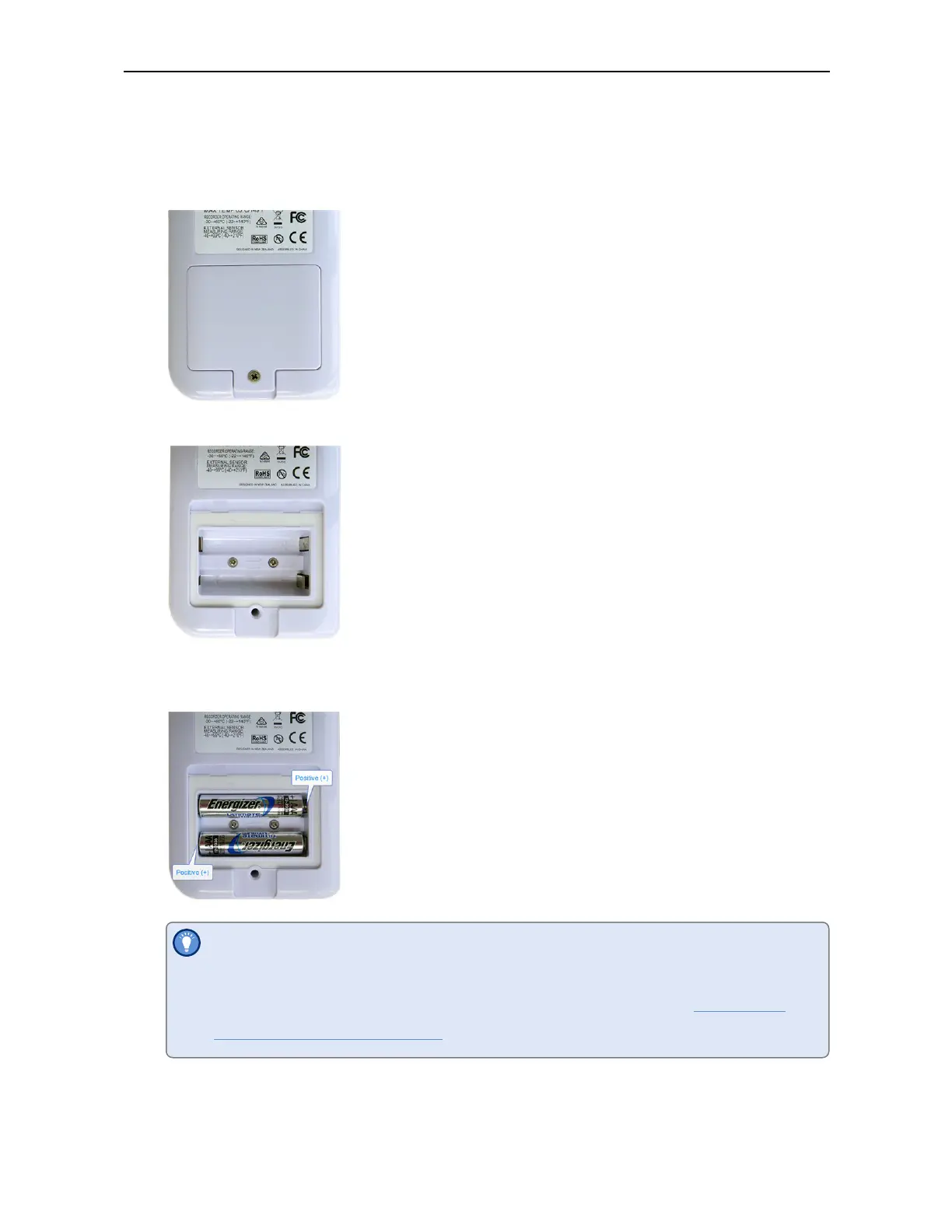
1. Remove the screw from the rear compartment lid.
2. Remove the lid, exposing the battery compartment.
3. Insert the AAA batteries in the correct orientation, as shown. The polarity is
marked inside the battery compartment.
The battery compartment is a good place to keep the surplus sensor socket
covers. You may wish to remove these now for each channel you want to
use and add them to the compartment before closing it (see Adding the
Probes and the Power Supply).
4. Replace the rear cover and the screw.
5. Press any button to turn on the display.



 To Next Page