During Recording VFC400-USB User Guide 34
During Recording
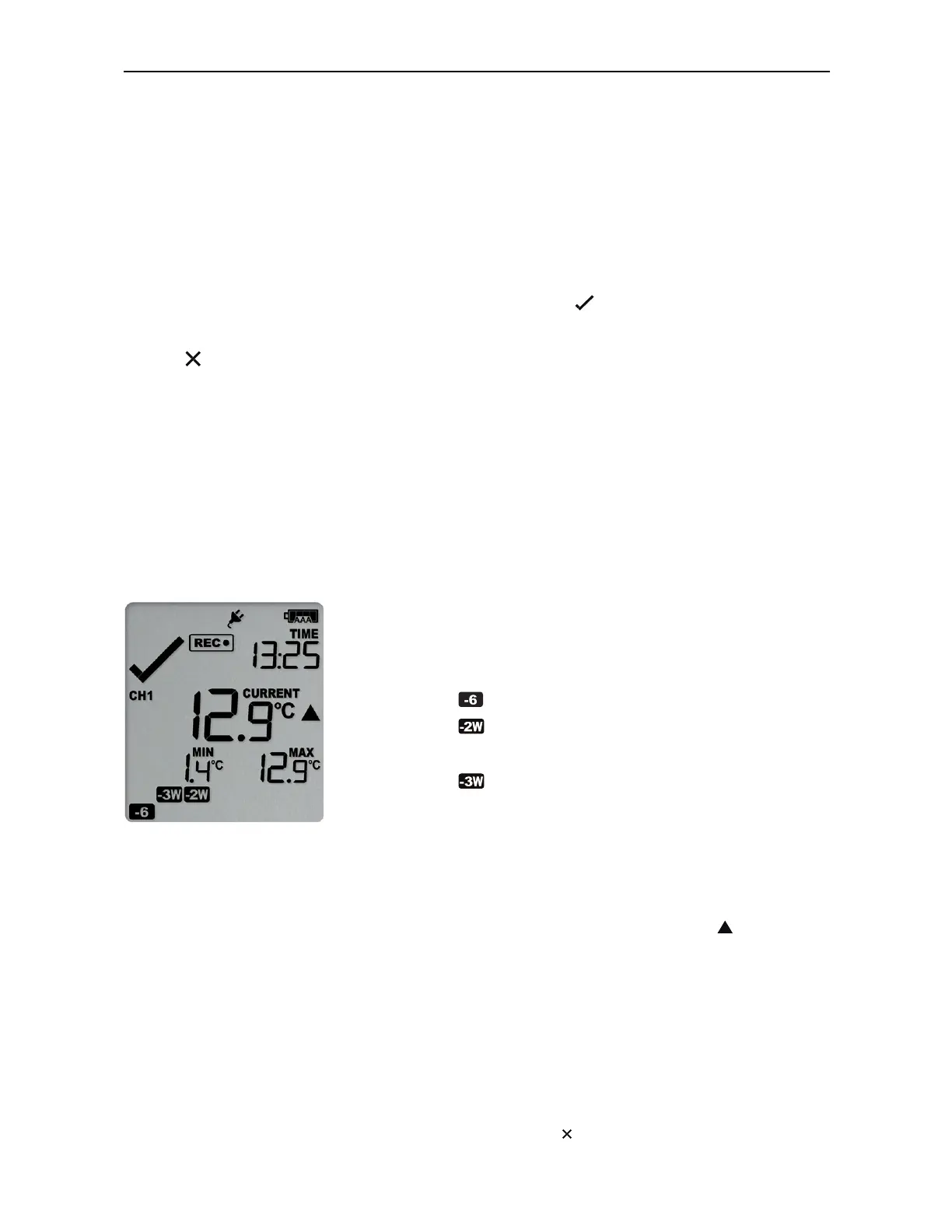
During normal operation, the display shows the most recently recorded temperature for
channel 1 or channel 2. The channel for which the temperature is shown is indicated by
the symbols CH1 or CH2.
The temperature on the display is updated when the logger takes a reading. The current
time is also displayed (in 24 hour format). A tick symbol is shown as long as no alarm
event has occurred on the displayed channel. If an alarm event is registered, a cross
symbol is shown instead of the tick.
Below the main temperature, the display shows the minimum and maximum
temperatures recorded for the channel since the beginning of the trip, or since they
were last manually reset.
At the bottom of the display you can see an alarm day summary, where any days on
which an alarm was recorded are highlighted.
Following are some sample display screens for channel 1:
At 1:25 pm:
l
Alarm events for channel 1 were recorded 6, 18,
19 & 27 days ago.
The following symbols show on the display:
o
for the alarm that occurred 6 days ago
o
for the alarms that occurred 18 and 19
days ago
o
for the alarm that occurred 27 days ago
l
These alarms were cleared by an inspector, as
the display currently shows .
l
The current temperature shown is for channel 1
and is over the upper alarm threshold, as
indicated by the upper alarm marker ( ).
l
The duration of this temperature excursion has
not yet triggered an alarm.
At 1:45pm (20 minutes
later)
l
The temperature has remained above the upper
alarm threshold and has now triggered an alarm
event.
l
The alarm symbol is shown to indicate an
alarm event occurred.



 To Next Page