Display Overview VFC400-USB User Guide 22
Display Overview
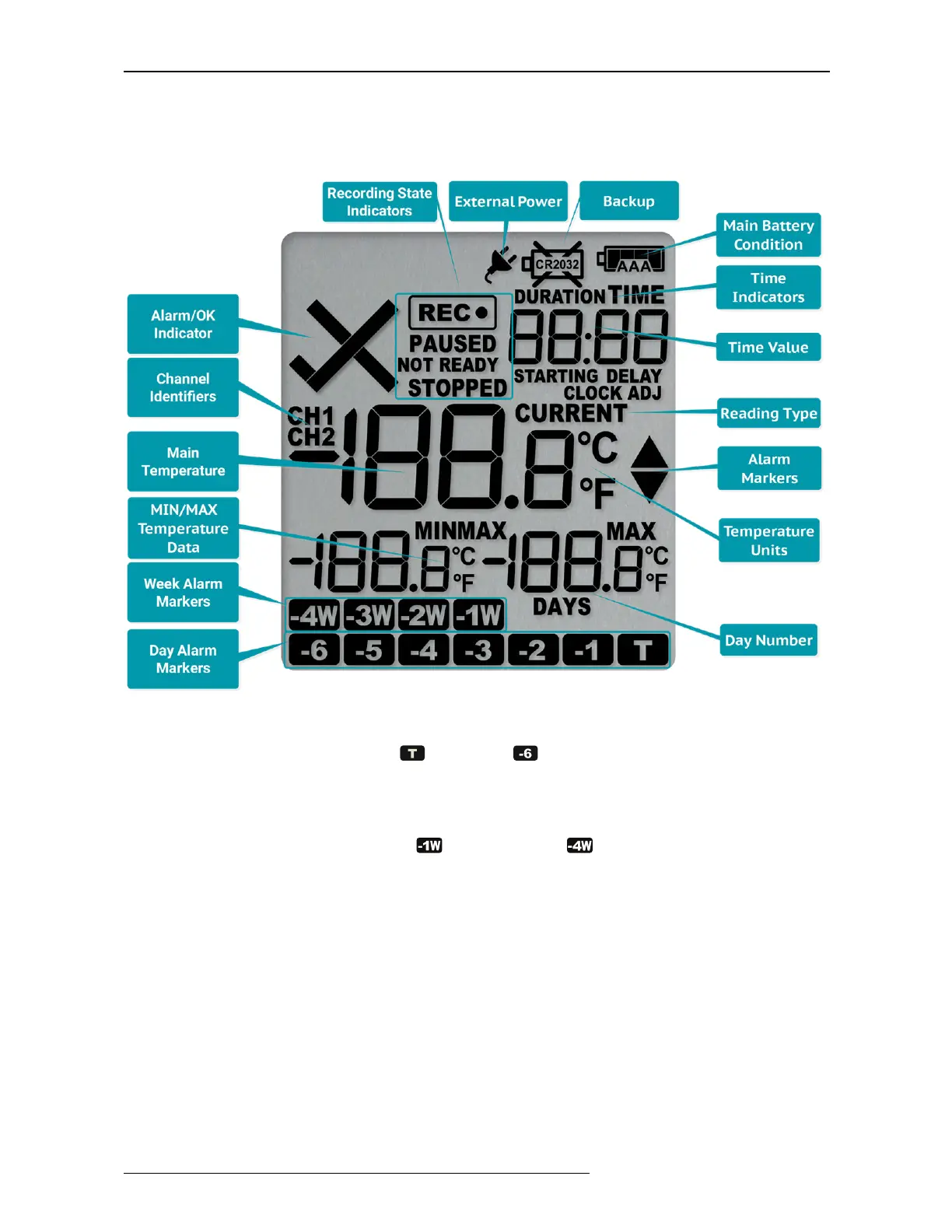
Following image shows the display with all segments turned on.*
Day Alarm Markers *
One rows of 7 markers, named
Today
( ) to
Day -6
( ). A marker is switched on if an alarm
event occurred on that day.
Week Alarm Markers *
One row of 4 markers, named last week ( ) to 4 weeks ago ( ). A marker is switched on if
alarm event occurred during that week.
MIN/MAX Temperature Data *
These two temperatures represent the minimum and maximum since the recording started, or
since the values were last manually cleared.
Main Temperature Value *
This shows the most recently recorded temperature while the VFC400-USB is recording. Once the
logger has stopped, nothing will be displayed.
* Marked symbols are displayed individually per channel



 To Next Page