During Recording VFC400-USB User Guide 35
l
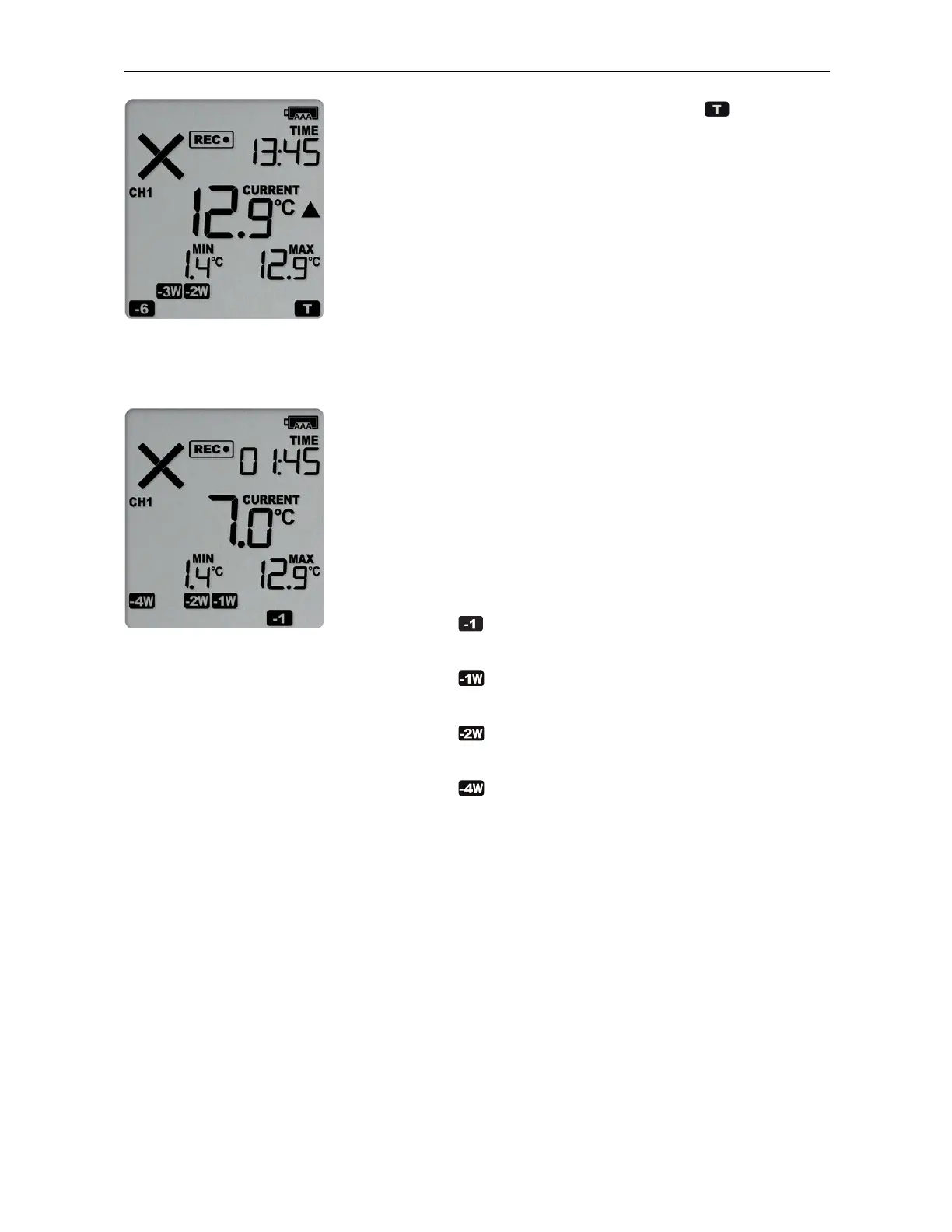
The day marker for the current day ( ) is
shown.
At 1:49am on the next day
the display shows the
following:
l
The temperature has returned to within the
accepted range (none of the alarm threshold
markers are visible), but the alarm remains
present, as it has not been inspected and
cleared.
l
The day summary has shifted by 1 day as the
display time has passed through midnight
(00:00). This means some of the week symbols
have also changed.
The following symbols show on the display:
o
for the alarm that shifted from today to
yesterday
o
for the alarm that shifted from 6 days
ago to 7 days ago
o
for the alarms that shifted from 18 and
19 days ago to 19 and 20 days ago
o
for the alarm that shifted from 27 to 28
days ago
As a result of the day shifts, the symbols for
today and 3 weeks ago no longer show.
Switching Channels on the Display
Apart from the power symbols, battery status, recording status and the current time, the
display only shows data that is associated with a single channel.
To enable users to see all values without having to press any buttons, each channel's
data is shown in turns for 8 seconds (Auto Channel Swap).
To see one channel's data for longer, for example, to note down Min/Max values, you
can press the Channel button. Each time you press this button, the screen will switch to
the channel that is currently not displayed and show that channel for 30 seconds. The



 To Next Page