Setup Pages X-600M Users Manual
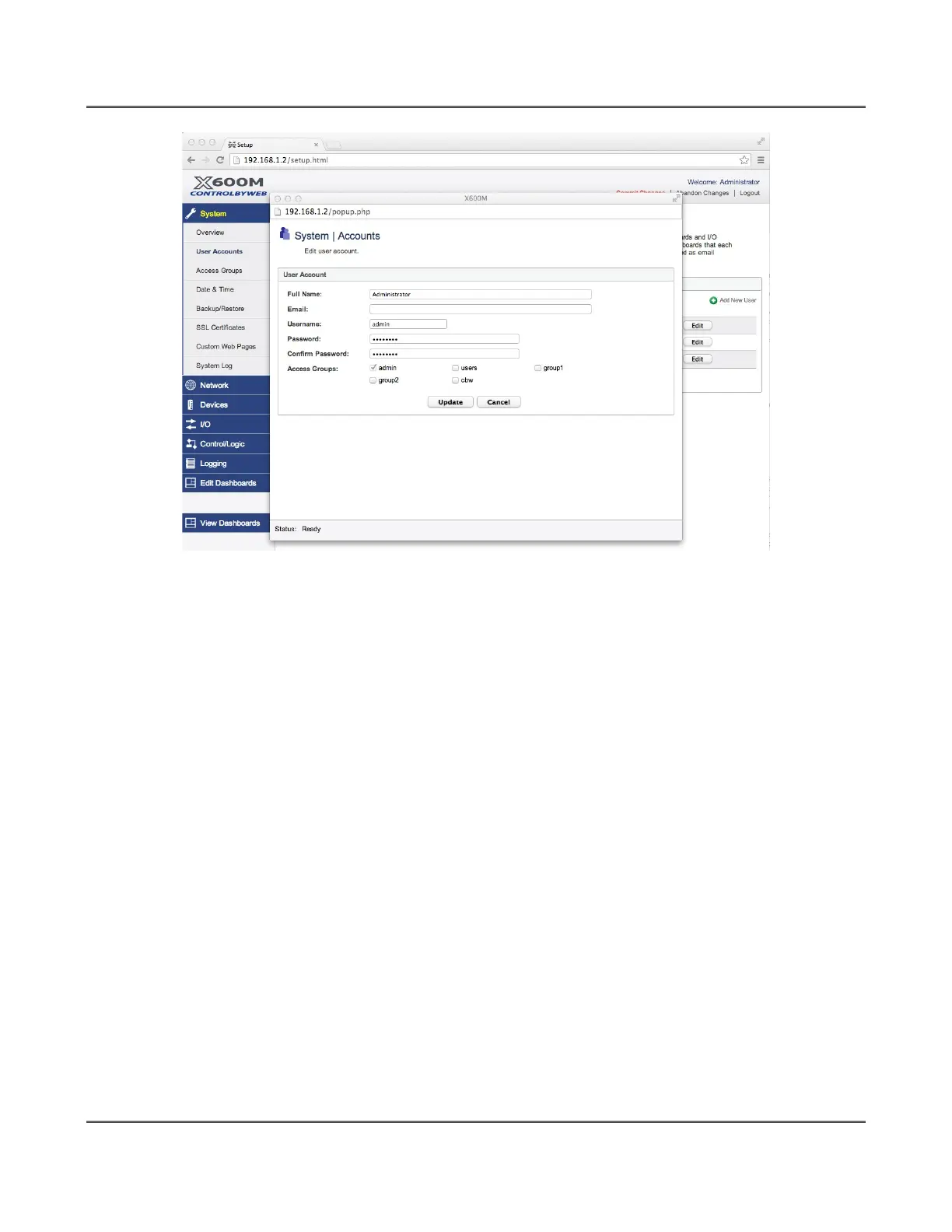
Full Name:
This is a simple description of the user account for documentation purposes.
Email:
The email address for this user.
Username:
This is the user name for this user account (used for logging in).
Password:
The Password for a specific user can be modified by entering a new password here. Passwords that
are 8 characters or longer (up to 20 characters can be entered in this field) with both alphabetic and
numeric characters are recommended. For security purposes, the password will not be displayed
when entered.
Note: The default user name required for accessing the setup pages is admin (all lowercase). The
default Setup Password is webrelay(all lowercase).
Confirm Password:
When the password is changed, it must be entered twice for verification. If the password is not
entered identically in both fields, the password will not be changed.
Access Groups:
This setting is only displayed if Dashboard Password Protection in the System>Overview page is
set to Enabled. Access groups have a descriptive name as well as a member title used to describe
the members of the group. Access groups can also be declared Read Only or Read Writable. Users
in groups that are read only will be able to monitor I/O in the same group, but not control them.
Page 34 Xytronix Research & Design, Inc.



 To Next Page