Setup Pages X-600M Users Manual
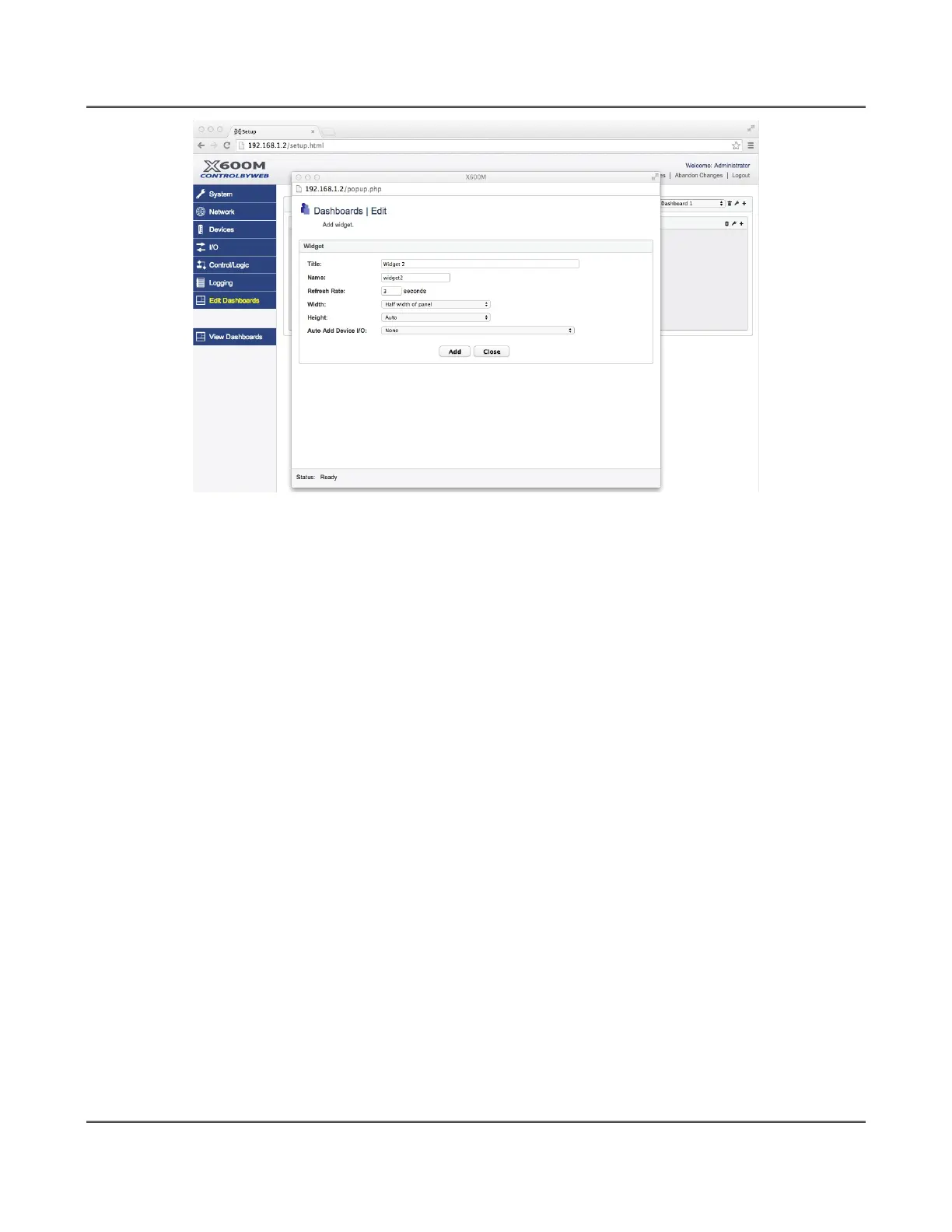
Title:
The title of the widget will appear in the upper left-hand corner of the widget.
Name:
A unique identifying name for the widget that will be used when updating the widget's component(s)
states. This field must also begin with a lowercase letter and contain only alphanumeric characters.
Width:
This setting selects how wide the widget is inside the panel as a percentage of the panel width. The
options are: Whole width of panel, half width of panel, two-thirds of panel, one-third of panel, one-
fourth of panel.
Height:
This setting selects how tall the widget is inside the panel. The options are: auto, fixed.
Auto Add Device I/O:
Select a registered device, and the widget will automatically add one component for each of the
registered I/O(s) of that device. Some devices, like the X-300 in thermostat mode, will preset the
option to generate a application specific widget instead of the standard I/O(s) widget. In this case the
widget created will be a specific widget designed for the X-300 in thermostat mode. The following
image shows a standard I/O populated widget and an application specific widget for the same X-300
configured for thermostat mode.
Page 88 Xytronix Research & Design, Inc.



 To Next Page