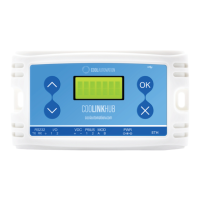
CoolPlug CooLinkHUB HVAC Bridge Connecting CoolPlug Gree (GRTS)
QIG Version 2.2 20 CoolPlug CooLinkHUB
11.3
Gree Option 3 (H1, H2)
1
Connecting the CoolPlug HVAC line to the Gree Indoor Unit
Connect the CoolPlug’s H1, H2 terminals to terminals H1 and H2 on the indoor unit.
Consult HVAC manufacturer’s Installation manual for location of terminals H1 and H2.
Note: W.R.C. can be connected to H1, H2 in parallel to the CoolPlug connection.
2
Connecting the CoolPlug to the CooLinkHUB
Connect the signal wires of the PBUS network cable, using [VDC-], [1] and [2] terminals
on the CooLinkHUB to the corresponding [-], [1] and [2] terminals on the CoolPlug.



 To Next Page