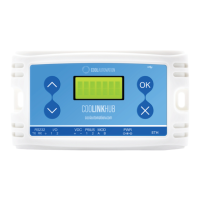
CoolPlug CooLinkHUB HVAC Bridge CooLinkHUB + CoolPlug
QIG Version 2.2 2 CoolPlug CooLinkHUB
Table of Contents
1. CooLinkHUB + CoolPlug ............................................................................................... 5
1.1 System Overview ............................................................................................... 5
1.2 Network Topology .............................................................................................. 5
1.3 CoolPlug Models ................................................................................................ 5
1.4 What’s in the box ................................................................................................ 6
2. Connecting CoolPlug .................................................................................................... 7
2.1 DK (Daikin) – S21 ............................................................................................... 7
3. Connecting CoolPlug DK (Daikin) ................................................................................. 8
3.1 DK (Daikin) – P1 P2 ........................................................................................... 8
4. Connecting CoolPlug DKS ............................................................................................ 9
4.1 DK (Daikin) – Siesta Series ................................................................................ 9
5. Connecting CoolPlug PN/SA/TO ................................................................................. 10
5.1 Panasonic | Sanyo | Toshiba ............................................................................ 10
6. Connecting CoolPlug FJ .............................................................................................. 11
6.1 FJ (Fujitsu/General) - Option 1* ........................................................................ 11
6.2 FJ (Fujitsu/General) - Option 2* ........................................................................ 12
6.3 FJ (Fujitsu/General) - Option 3* ........................................................................ 13
7. Connecting CoolPlug ME (Mitsubishi Electric) ............................................................. 14
7.1 Option 1 – CN-105 ........................................................................................... 14
8. Connecting CoolPlug MH (Mitsubishi Heavy) .............................................................. 15
8.1 Option 2 – [1] [2] ............................................................................................... 15
9. Connecting CoolPlug HT (Hitachi) ............................................................................... 16
10. Connecting CoolPlug LG (LG) ..................................................................................... 17
11. Connecting CoolPlug Gree (GRTS)............................................................................. 18
11.1 Gree Option 1 ................................................................................................... 18
11.2 Gree Option 2 ................................................................................................... 19
11.3 Gree Option 3 (H1,H2) ..................................................................................... 20
12. Connecting Home Automation, BMS & CoolRemote ................................................... 21
13. CoolRemote App ......................................................................................................... 22
14. CoolPlug Operation ..................................................................................................... 23
14.1 CoolPlug Indicators .......................................................................................... 23
14.2 CoolPlug Normal Operation .............................................................................. 23
15. Wireless CoolPlug & CooLinkHUB – Installation Guidelines ........................................ 25
15.1 Rebuilding the wireless mesh network .............................................................. 26
16. Mounting the CoolPlug ................................................................................................ 27



 To Next Page