DF6000 - USER MANUAL
77
Analogue Level
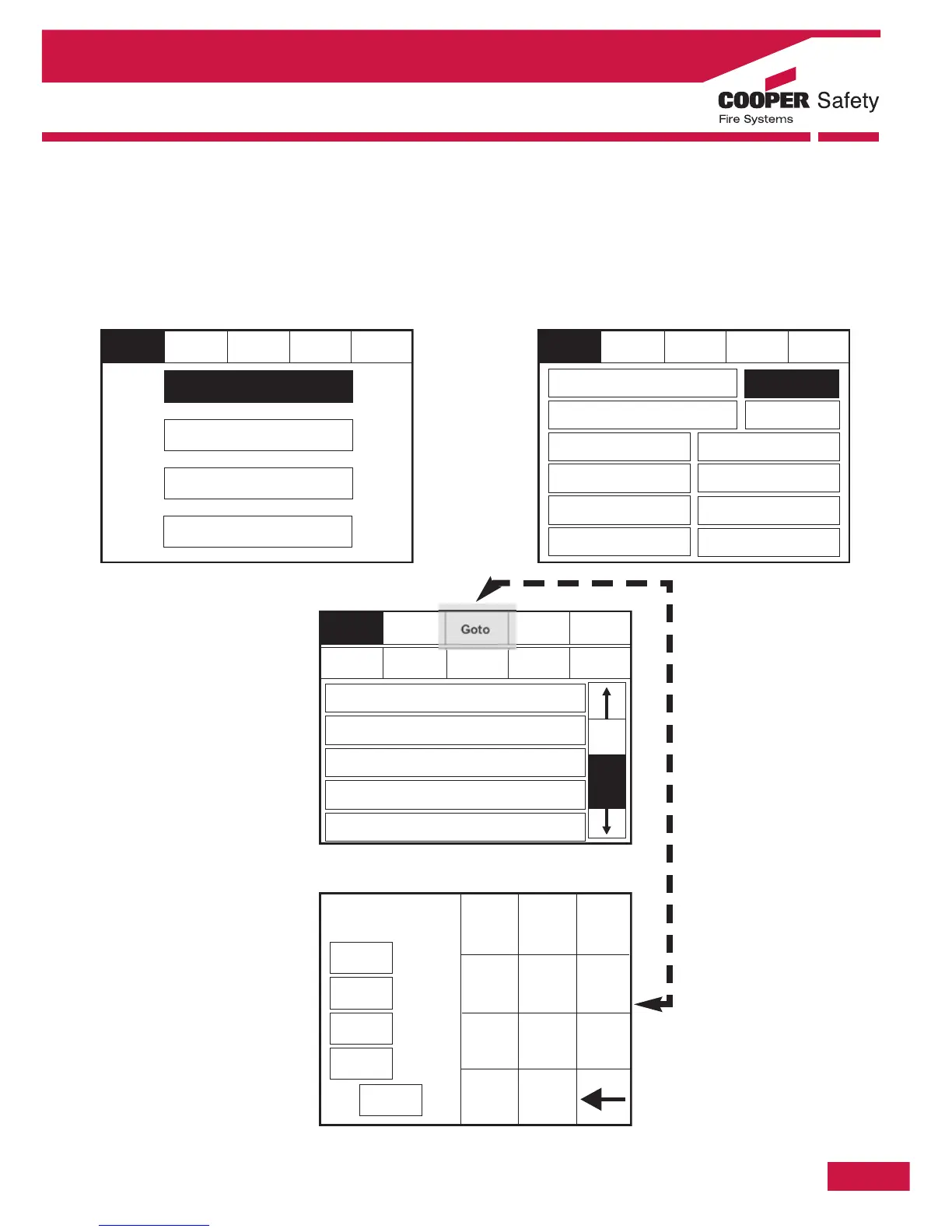
To activate the touch screen, touch the top left corner of the screen until the screen illuminates. To enter
the supervisor mode touch the supervisor button and enter the service passcode.
Enter the Service Mode and Select Commission then press “Analogue Levels”.
Section 4 - Panel Controls and Indicators
Reset
Goto
Service
FRE Off
Exit
Show
All
Show
Detectors
Show
Optical
Show
Ionisation
001
Device 1, Zone 1
Loop: 1, Zone 1, Type: Opto / Thermal
002
Device 2, Zone 1
Loop: 1, Zone 1, Type: Opto / Thermal
003
Device 3, Zone 1
Loop: 1, Zone 1, Type: Opto / Thermal
004
Device 4, Zone 1
Loop: 1, Zone 1, Type: Opto / Thermal
005
Device 5, Zone 1
Loop: 1, Zone 1, Type: Opto / Thermal
Show
Thermal
Reset
Service
FRE off
Exit
Mute
Buzzer
Commission
Configure
Test
Enable/Disable Address
Service
FRE Off
Exit
Mute
Buzzer
Reset
Load CDR from Laptop
Dowload CDR to Laptop
Auto Learn
Erase Log and Reset
Systems Detail
Load Logo From PC
Printer Settings
Change Panel Number
Number of Panel
in Network
Screen Cover
Analogue Level
Italian Mode



 To Next Page