11
CX-CT6C
2.4GHz 6 Channel FHSS Technology
Digital Proportional Radio System
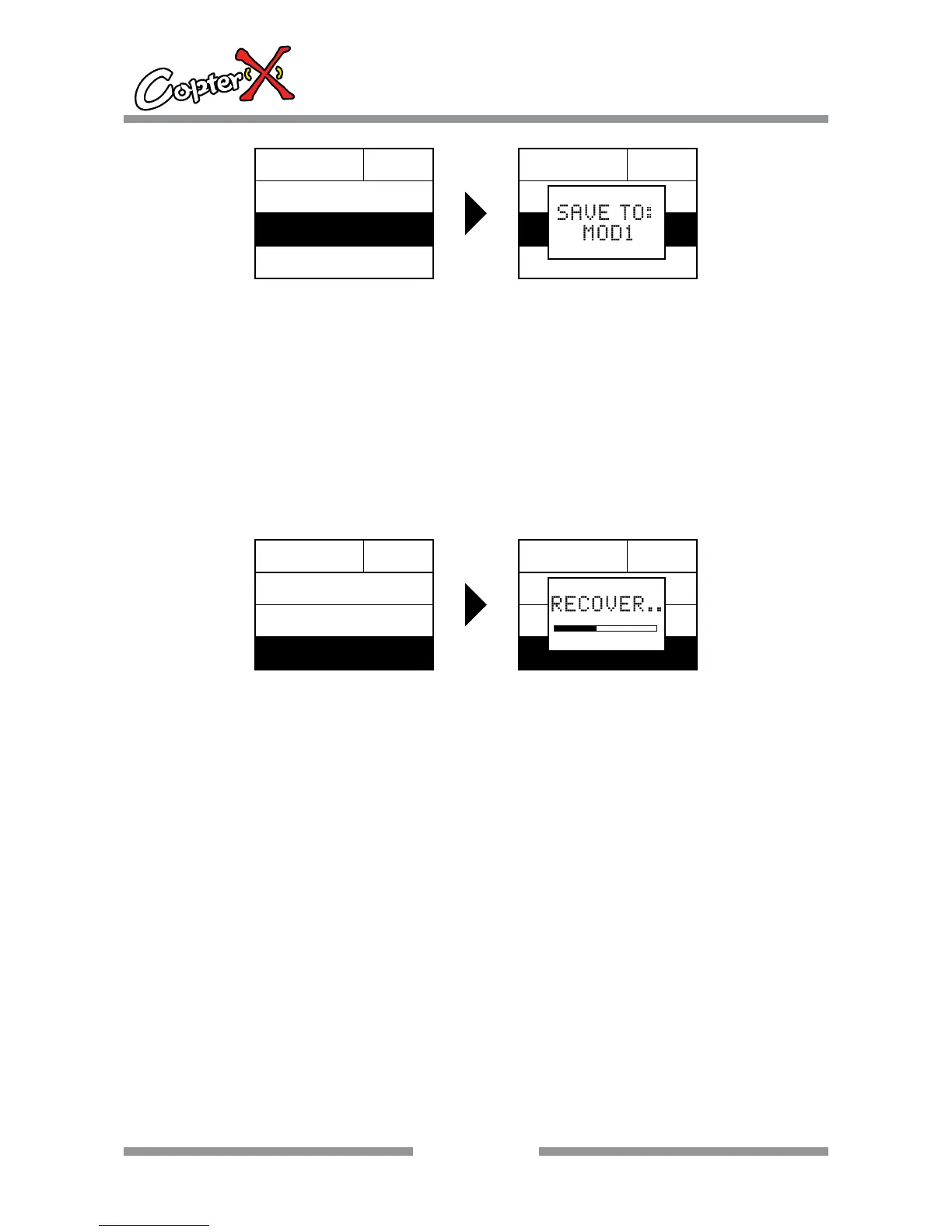
Save as model number
Operation:
1. Press “down“ to select “SYS.MENU”, and press “ENTER” to come to the interface.
2. Press “ENTER” to come to “MODEL.SET” interface, and now the shadow area is the item that can
be set currently.
3. Press “up” or “down” to select the setting item, and press “ENTER” to come to “SAVE AS”
4. Press “up” or “down” to select your model number to be saved. Press “ENTER” to confirm when
the number is selected. It can be saved again and again in different model number groups. Press
“EXIT” to leave the setting.
Remark: the data of the current model will copy to another memory slot, so please be careful.
ENTER
MODEL
RECOVER
MOD0
RENAME
SAVE AS
MODEL MOD0
RENAME
RECOVER
SAVE AS
Recover the factory data
Operation:
1. Press “down” to select “SYS.MENU”, and press “ENTER” to come to the interface.
2. Press “ENTER” to come to “MODEL.SET” interface, and now the shadow area is the item that can
be set currently.
3. Press “up” or “down” to select the setting item, and press “ENTER” to come to “RECOVER”
4. Press “ENTER” to recover the factory setting, and press “EXIT” to leave the menu.
Remark: This recovery will clear the data of the current model, please be careful.
ENTER
MODEL MOD0
RENAME
SAVE AS
RECOVER
MODEL MOD0
RENAME
SAVE AS
RECOVER


 To Next Page