18
CX-CT6C
2.4GHz 6 Channel FHSS Technology
Digital Proportional Radio System
10.4. TRAVEL
Travel operation
Operation:
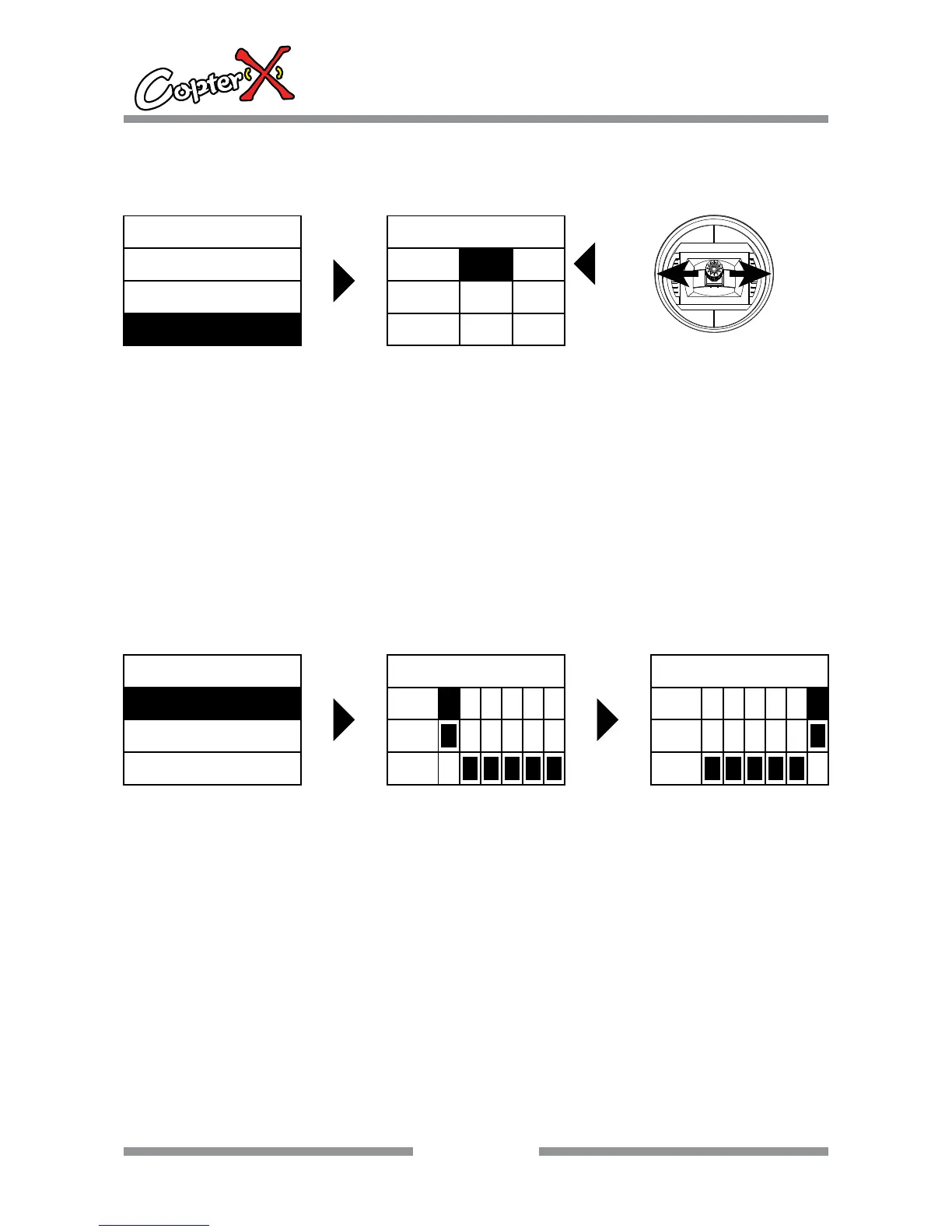
1. Press “up” to select “FUN.MENU”, and press “ENTER” to come to the interface.
2. Press “up” or “down” to select “TRAVEL”, and now the shadow area is the item that can be set
currently. Press “ENTER” to go to the next step.
3. Press “up” or “down” to select the channel you like to adjust, use Rudder stick to select the high
or low value.
4. Press “INC” or “DEC” to set the travel value.
5. After your setting, press ‘EXIT” to save the setting and leave the operation.
ENTER
FUN.MENU
D/R
SUB. TRIM
TRAVEL
TRAVEL
AILE
ELEV
THRO
100
100
100
100
100
100
STICK:
RUDD.
RU
EL
10.5. CH.REV
Channel reverse operation
Operation:
1. Press “up” to select “FUN.MENU”, and press “ENTER” to come to the interface.
2. Press “up” or “down” to select “CH.REV”, and now the shadow area is the item that can be set
currently. Press “ENTER” to go to the next step.
3. Press “up” or “down” to select the channel.
4. Press “INC” to set the reverse mode and “DEC” to set normal mode.
5. After your setting, press “EXIT” to save the setting and leave the operation.
ENTER
FUN.MENU
SWASH.MIX
GYRO.SENE
REV.SW
CH
REV
NOR
1 23456
REV.SW
CH
REV
NOR
123456CH.REV


 To Next Page