17
CX-CT6C
2.4GHz 6 Channel FHSS Technology
Digital Proportional Radio System
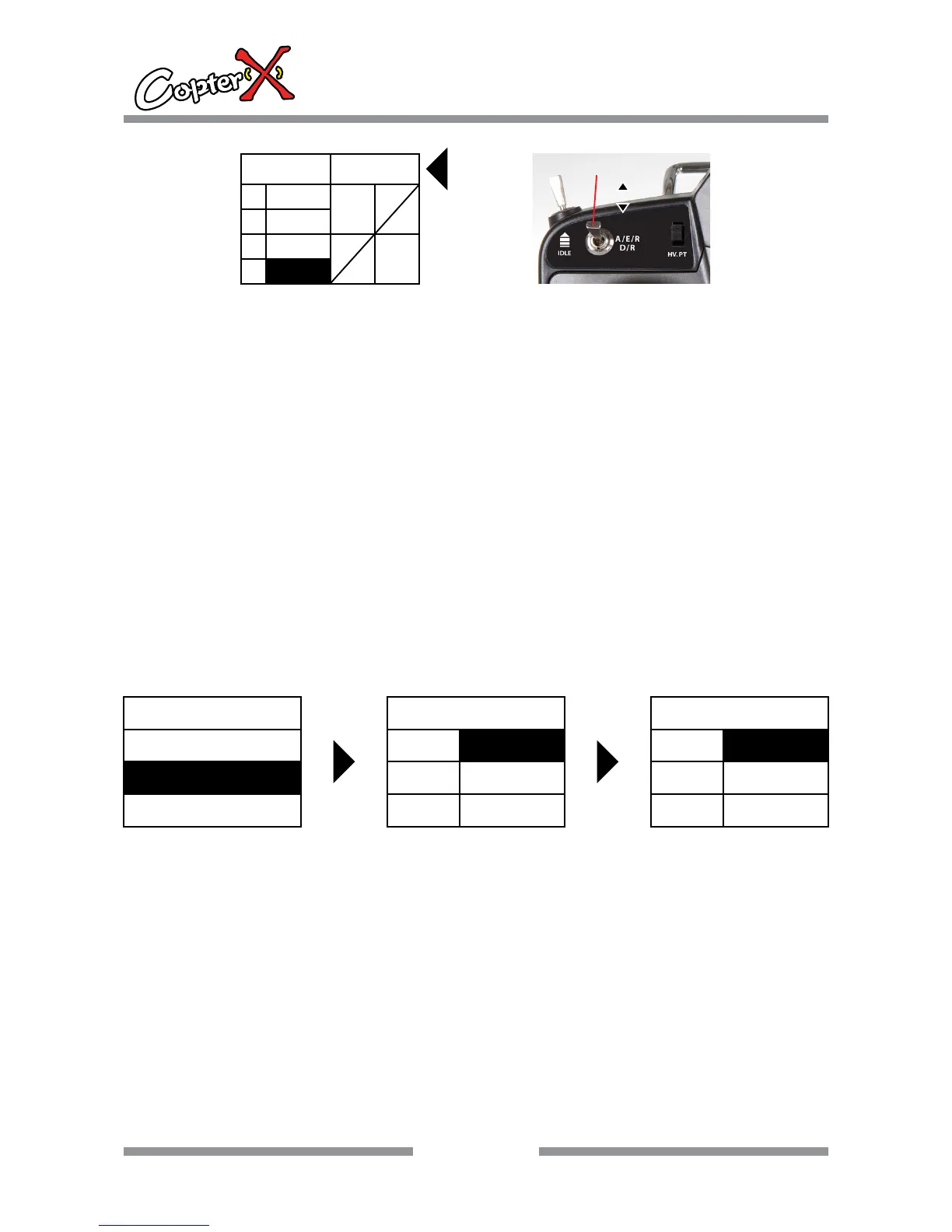
D/R operation for RUDD
Operation:
1. Press “up” to select “FUN.MENU”, and press “ENTER” to come to the interface.
2. Press “up” or “down” to select “D/R”, and now the shadow area is the item that can be set
currently. Press “ENTER” to go to the next step.
3. Press “up” or “down” to select “H” or “L”, and press “INC” or “DEC” to set the corresponding value
and dual band curve will change accordingly.
4. Set “RUDD D/R” switch on the top of the transmitter. When “A/E/R D/R” is in “0” position, LCD
shows “RUDD0”, and now you can set D/R value for “RUDD0”. And when “A/E/R D/R” is in “1”
position, LCD shows “RUDD1”, and now you can set D/R value for “RUDD1”
5. After your setting, press “EXIT” to save the setting and leave the operation.
Remark: There is no shortcut key on the surface of the transmitter, D/R data is only one group,
please be noted.
DR RUDD0
H
I
O
L
0
0
100
100
A/E/R D/R
0
1
AILE DR SW
POS0/POS1
10.3. SUB. TRIM
Channel neutral trim operation
Operation:
1. Press “up” to select “FUN.MENU”, and press “ENTER” to come to the interface.
2. Press “INC” or “DEC” to select “SUB TRIM”, and now the shadow area is the item that can be set
currently. Press “ENTER” to go to the next step.
3. Press “up” or “down” to select “AILE”, “ELEV”, “THRO”, “RUDD”, “GEAR”, “PITCH”.
4. Press “INC” or “DEC” to set the value of channel neutral trim.
5. After your setting, press “EXIT” to save the setting and leave the operation.
ENTER
ENTER
FUN.MENU
TRAVEL
D/R
SUB. TRIM
SUB. TRIM
AILE
ELEV
THRO
0
0
0
SUB. TRIM
RUDD
GEAR
PITH
0
0
0


 To Next Page