14
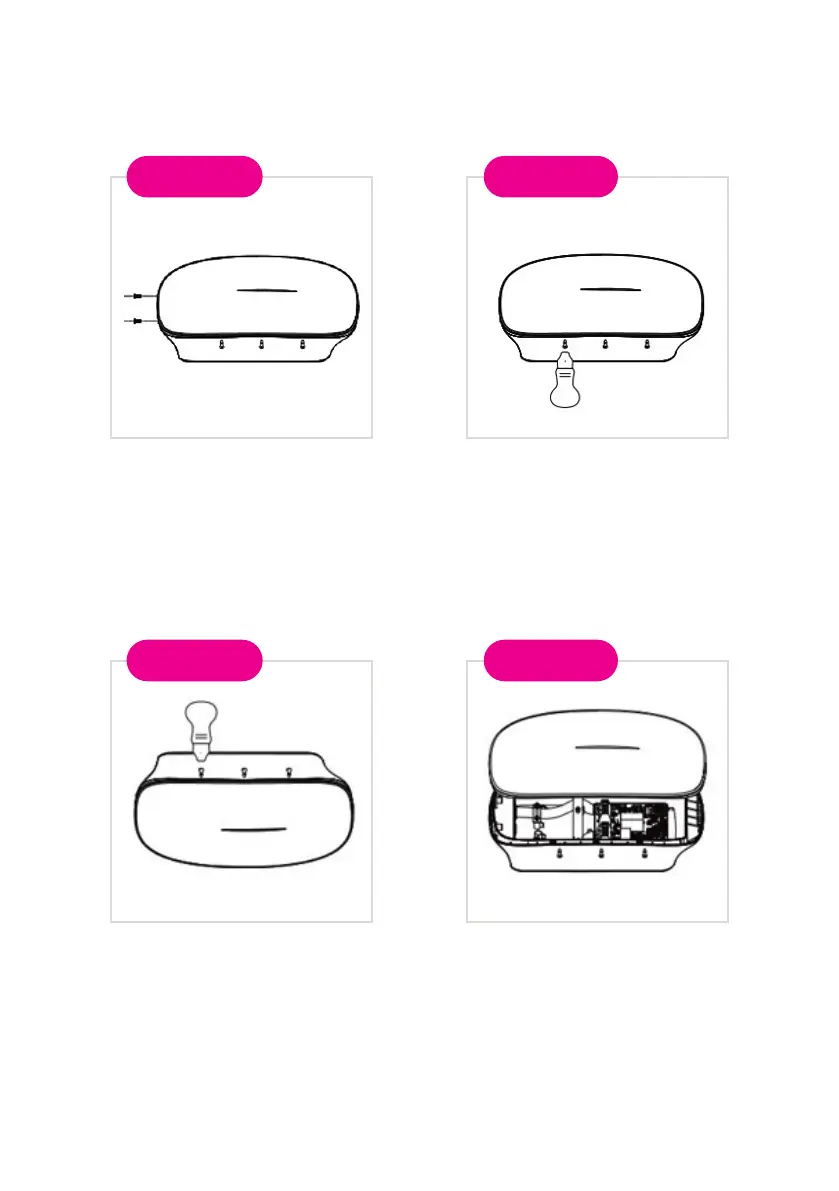
5.3 Removing the front cover (Maintenance only)
Remove the two screws from
the bottom.
Opposite side of the charge will
allow you to separate the front
cover.
Usethepryingtoolfromthe
ttingspacktoremovethefront
cover. Apply to the 3 points
markedinthisguretopull
the front cover apart from the
charger body.
Remove the front cover
carefully and place it safely.
Step 1
Step 3
Step 2
Step 4


 To Next Page