25
7.3 Maximum charging current setting (optional)
Thiscongurationappliesforasinglechargepointwithresidentialload.
Thisbalancesenergyuseandadjuststhechargingoutputtoyourelectriccarin
response to changes in electricity load.
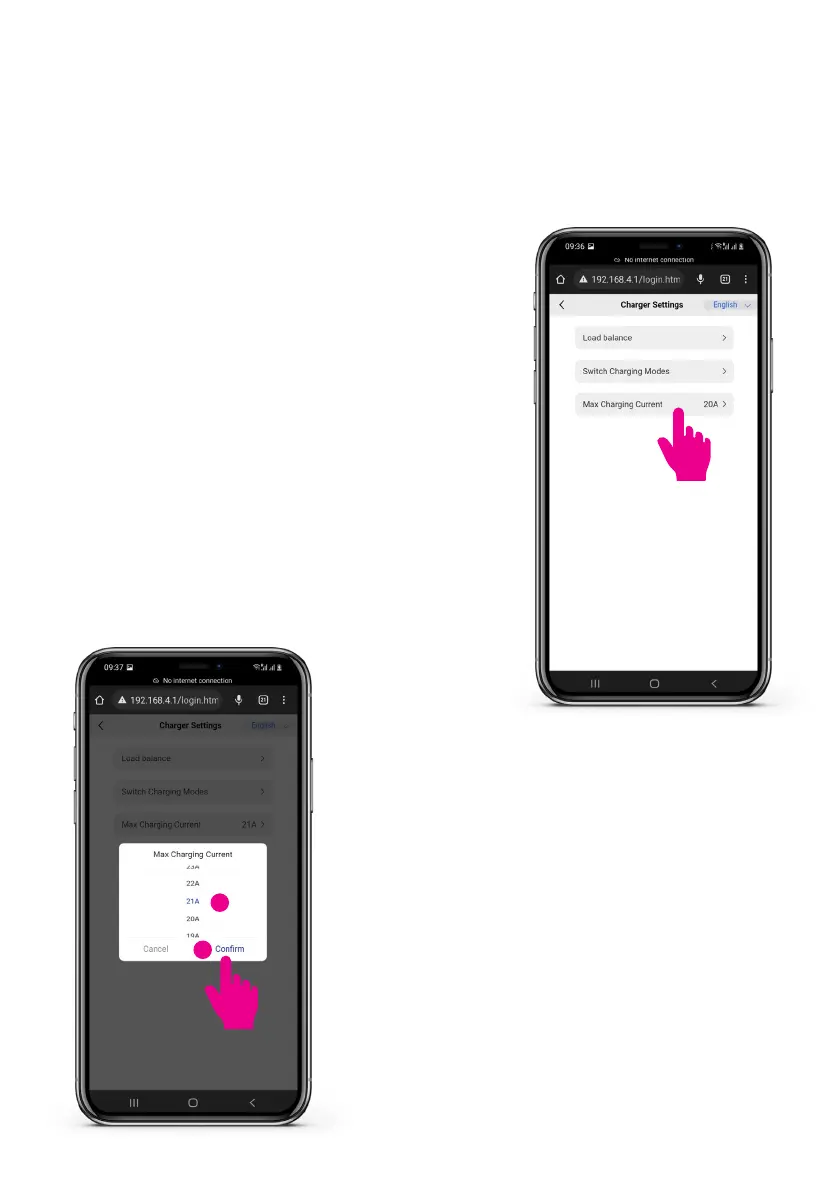
Step 1: Input the max charging current details
• After logging in to the charger webpage tap
on ‘Charger setup’ (5.1.4 Step 1).
• Tap on ‘Max Charging Current’.
Step 2: Select the max charging current
• Scroll up/down to select the required current.
• Tapon‘Conrm’afterselecting.
• After 5 seconds reboot the charger manually.
1
2


 To Next Page