24
Step 4: Test setup
• Connect the EVSE adapter to the charger.
• Connect the installation tester 3-pin plug into the EVSE adapter.
• An installation tester can be used to test the RCD.
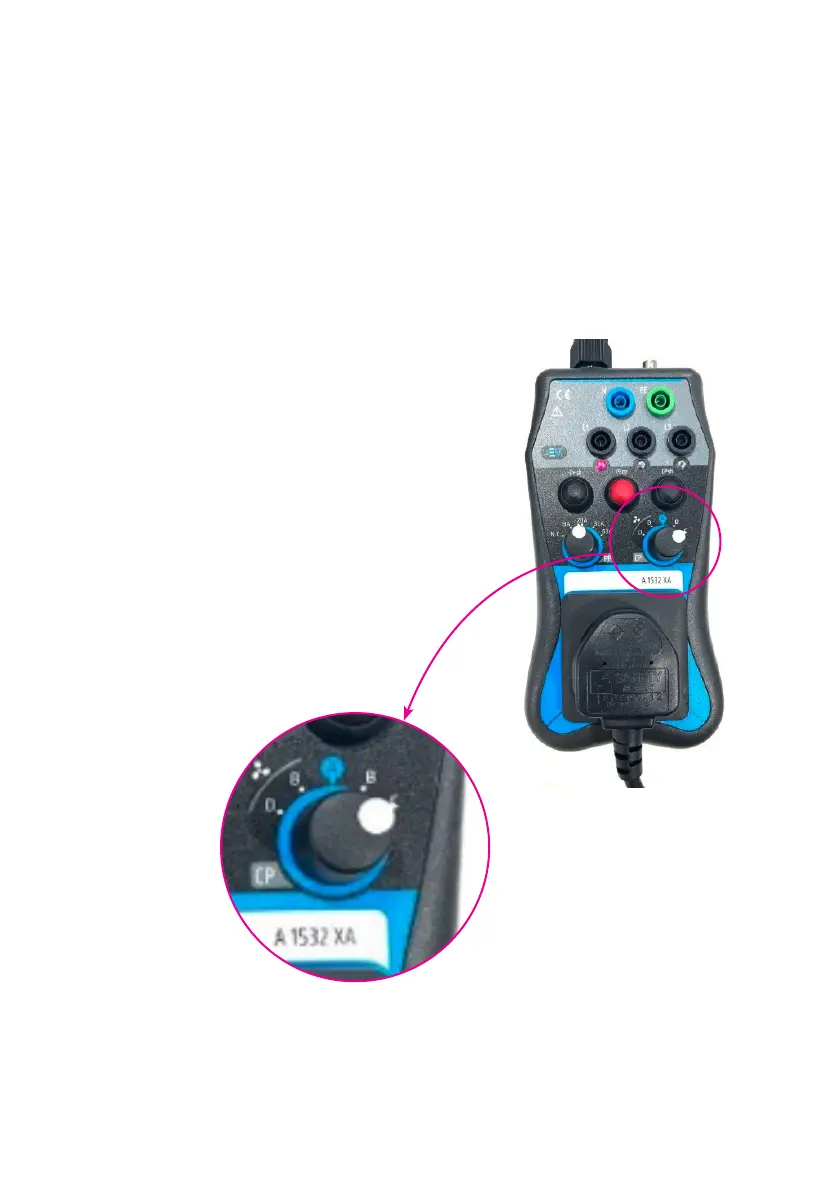
• Change the CP state of the EVSE adapter from ‘A’ to ‘C’ to start charging.
• Test the RCD with an installation tester.
Step 5: EVSE adaptor setup
• The charger is off when CP state of the
EVSE adaptor is in ‘A’ position.
• Change the CP state to ‘C’ to start
charging. The Red LED of L1 in the
EVSE adaptor will glow when it is in
charging state.
• Change the CP state to ‘A’ to turn off
the charging.


 To Next Page