13
5. Activate the Robot
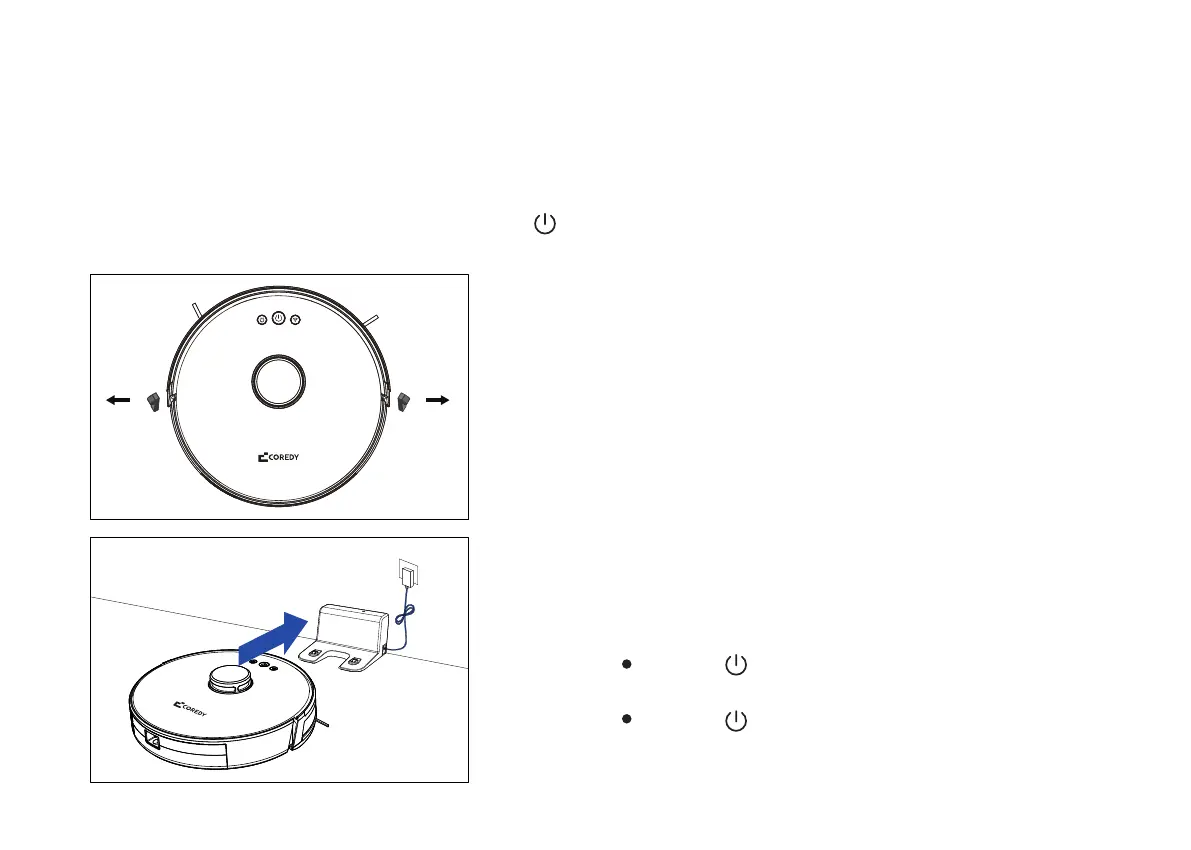
Before using the FL022 Robot, remove the protective strip
from the FL022 Robot.
6. Charging
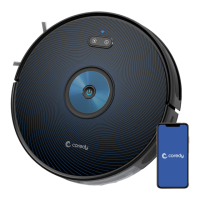
Place the FL022 Robot on the docking station to charge
the FL022 Robot. During charging, the indicator blinks.
When charging is completed, the indicator is steady. It
takes about 6 hours to fully charge the FL022 Robot.
7. Start Cleaning Cycle
Press the power button and hold on about for 3
seconds to power on Coredy Robot FL022.
During the cleaning process, the FL022 Robot automatically
checks its battery level. If the power is insufficient, the FL022
Robot activates the "Return to docking station" mode and
automatically returns to the docking station for charging.
Alternatively, you can tap the "Return to docking station"
button in the App to activate the "Return to docking
station" mode of the FL022 Robot.
Place Coredy FL022 onto the Charging Dock, making sure
the metal butting charging pole piece on the Charging
Dock match up with those underneath the robot.
If successful, you will hear a series of tones. Once the
power button illuminates, Coredy FL022 is ready for use.
Note:
Do not use the docking station in a highly reflective environ-
ment such as the environment exposed to direct sunlight or
with mirrors nearby.
To ensure the normal working time of the FL022 Robot, fully
charge the FL022 Robot before use. The charging time is
about 6 hours.
To ensure the safety of charging and prevent the damp cloth
from damaging the floor, remove the water tank before
charging the FL022 Robot.
Press the power button again to start a cleaning
cycle.


 To Next Page