14
Note:
If the power is too low, the robot cannot start cleaning.
Therefore, charge the robot before starting it.
If the cleaning area is less than 2 square meters, the robot
will clean the area twice by default.
If the power is insufficient in the cleaning process, the FL022
Robot will automatically return to the docking station for
charging. When charged to 80%, the FL022 Robot will
automatically return to the breakpoint to continue cleaning
(ensure that you have enabled the “Continue cleaning at
breakpoint”).
Note:
In pause state, if the robot returns to the docking station for
charging, the current cleaning task is stopped.
Note:
The robot will not enter sleep mode while on the charging
dock.
Note:
The robot will automatically enter sleep mode after 10
minutes of inactivity.
In faulty state, if the robot returns to the docking station for
charging, the current cleaning task is stopped.
The robot will automatically turn off after being in sleep mode
for 12 hours.
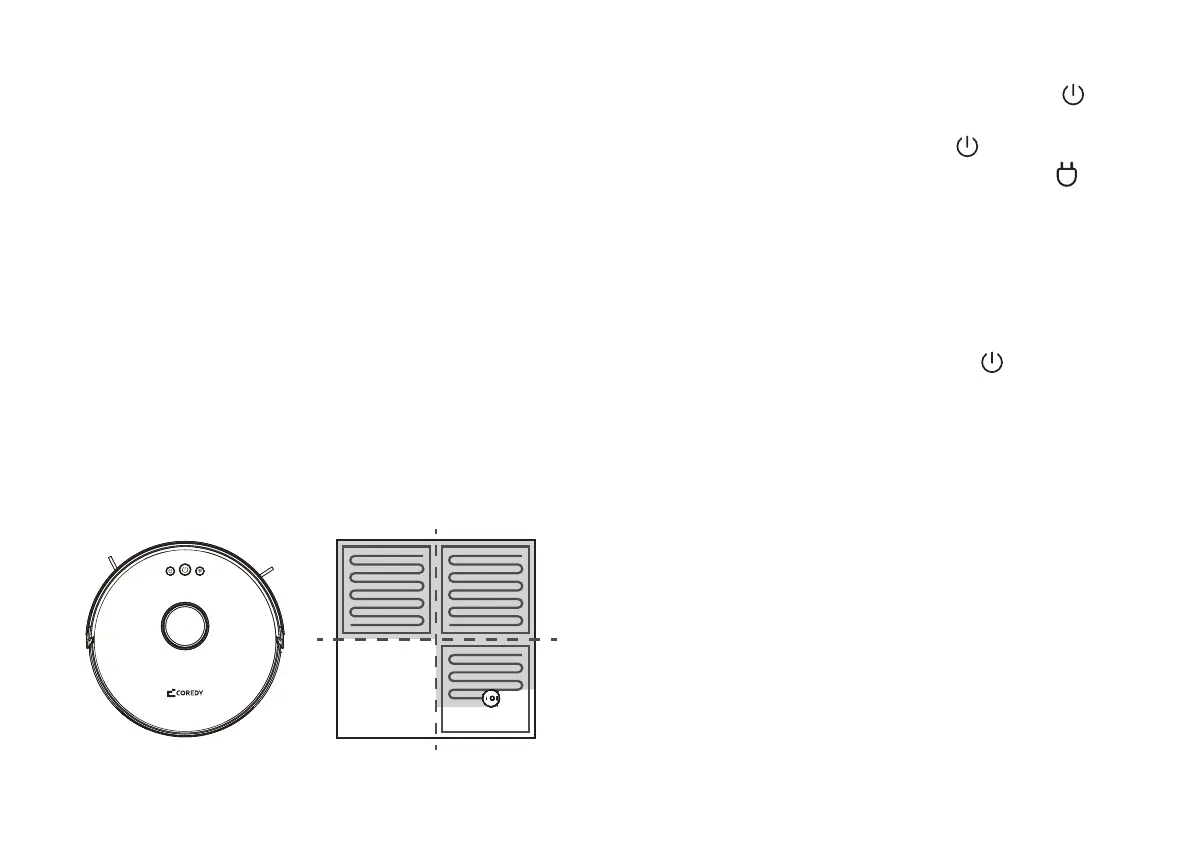
Coredy FL022 dynamically plans the cleaning route
according to the map generated after scanning and
completes the cleaning of different zones one by one. In
each zone, Coredy Robot FL022 first sweeps the floor
along the wall and then moves in bow-shaped cleaning
mode to clean the remaining part of the zone in an
orderly and efficient manner.
8. Pause
To pause the robot during a cleaning cycle press the
power button on robot.
9. Sleep Mode
The Coredy Robot FL022 will automatically enter sleep
mode after 10 minutes of inactivity and the power
indicator. To wake it up, press any button or use the App.
10. Fault Status
If Coredy Robot FL022 encounters an error during operation,
the power indicator blinks red quickly and you will hear a
voice prompt. To check for a solution, please refer to the
Troubleshooting section.
To resume the cleaning cycle, press the power button again.
To send robot back to the Charging Dock, press the
button on the robot.
Zone 1: Cleaned Zone 2: Cleaned
Zone 4: To be cleaned Zone 3: Cleaning


 To Next Page