24
6. Using Amazon Alexa
Follow the instructions to control your Coredy device with
Amazon Alexa. If you run into any difficulties during the
process, please check for Troubleshooting.
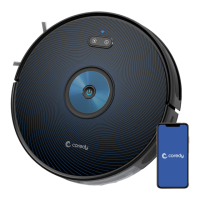
Your Coredy device is connected with the Coredy Robot App.
You have an Alexa-enabled device (i.e. Amazon Echo, Echo
Dot and Amazon Tap).
The Amazon Alexa App is installed on your smart device and
you have created an account.
Before you start, make sure that:
More App Functions
Troubleshooting
1. Open the Alexa App and select “Skills & Game” from the
menu.
2. On the skills screen, search for “ Smart Life”.
3. Select your Smart Life skill, then press "Enable".
4. Login in your Coredy Robot account so Alexa can control
your Coredy device.
5. Using “Smart Life” skill (for Robot only):
6. If you add two or more Robot devices to Coredy App, you
can edit name for each Coredy robot on Coredy App or Alexa,
they're Synchronous. After named, giving a command by
using your robot name. Examples, named "Robot 1" then
Alexa can support two specific commands as following:
"Alexa, turn on Robot 1"
"Alexa, turn off Robot 1"
What do I do if Alexa fails to discover my device?
Check if there are any Internet connection problems.
Try to reboot the smart device and re-discover the device on
Alexa.
You do not need to discover your device as you can control
the Robot with your voice by saying specific commands.
Alexa only supports two commands currently as following:
"Alexa, turn on Coredy FL022"
"Alexa, turn off Coredy FL022"
To control Coredy Robot with Amazon Alexa
do the following steps:
Note:
The functions and details of the App may change slightly
due to continuous development and upgrade of the App.
The specific functions and details of the App are subject to
the actual version.
Real-time map update
Cleaning record viewing
Robot voice changing
Robot positioning
Volume adjustment
Map management
Firmware update
Robot status viewing


 To Next Page